
WeChat Bot
Bind your WeChat Bot to easily collect information from the WeChat ecosystem and save it to your knowledge base with one click, enabling AI Q&A within WeChat.
Demo
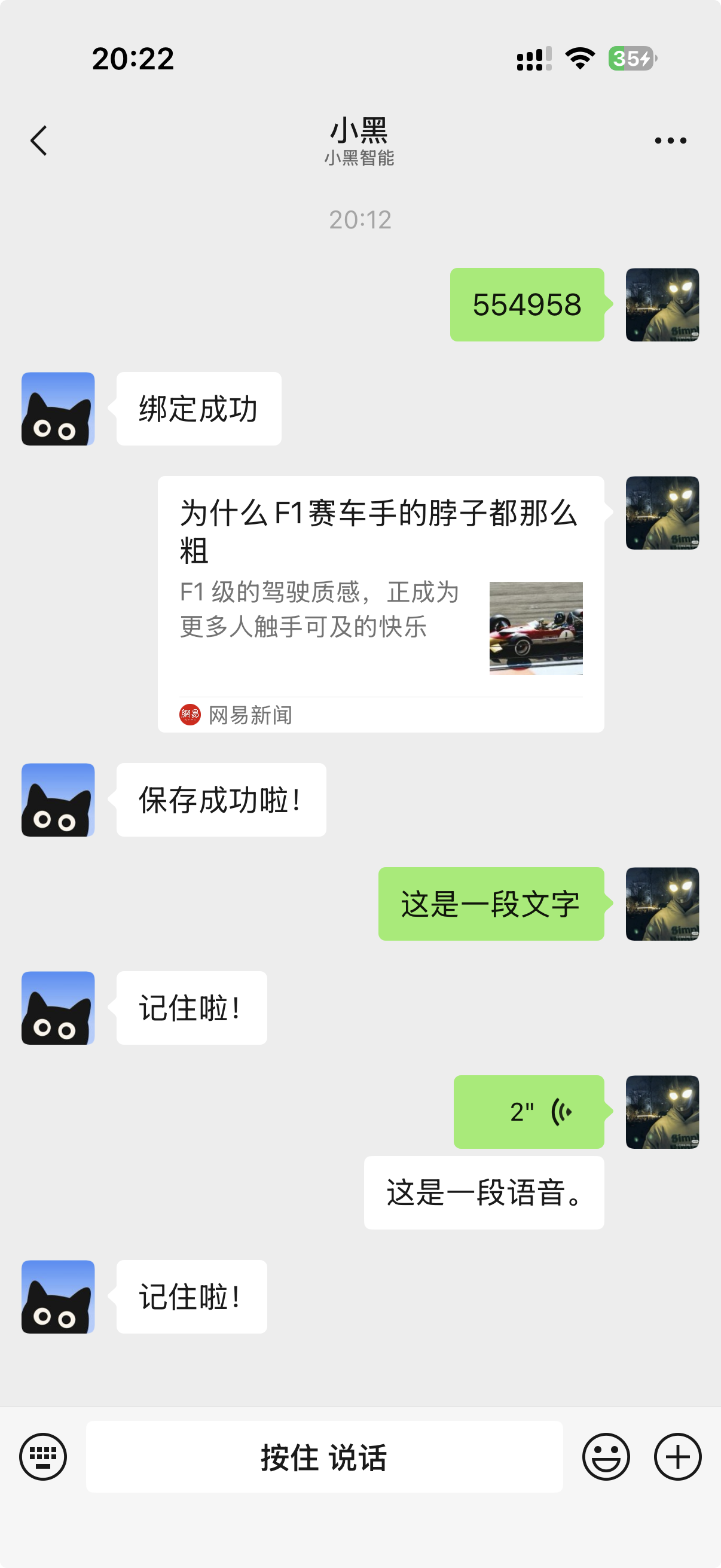
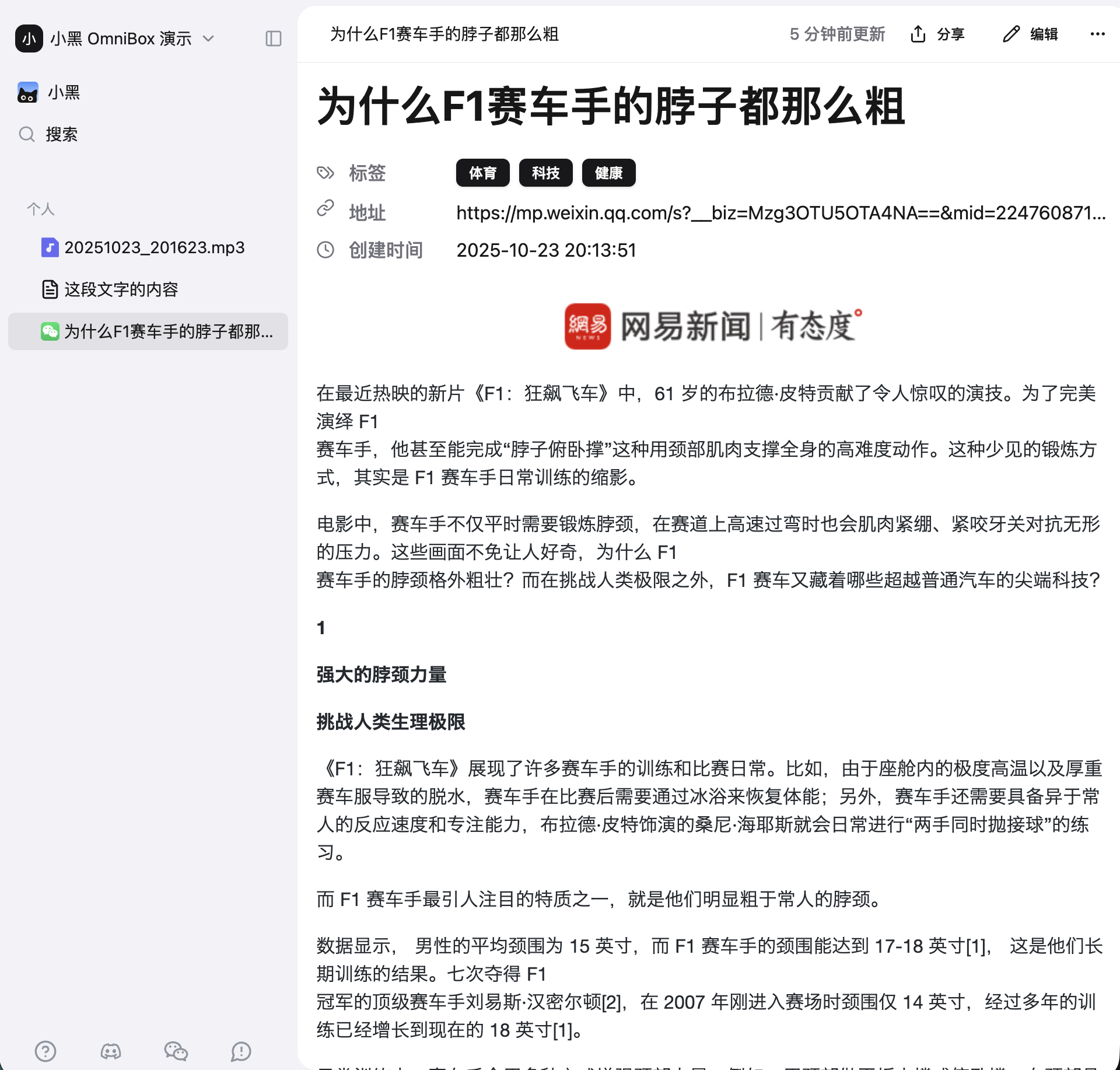
Parsing result in OmniBox after sending:
Binding
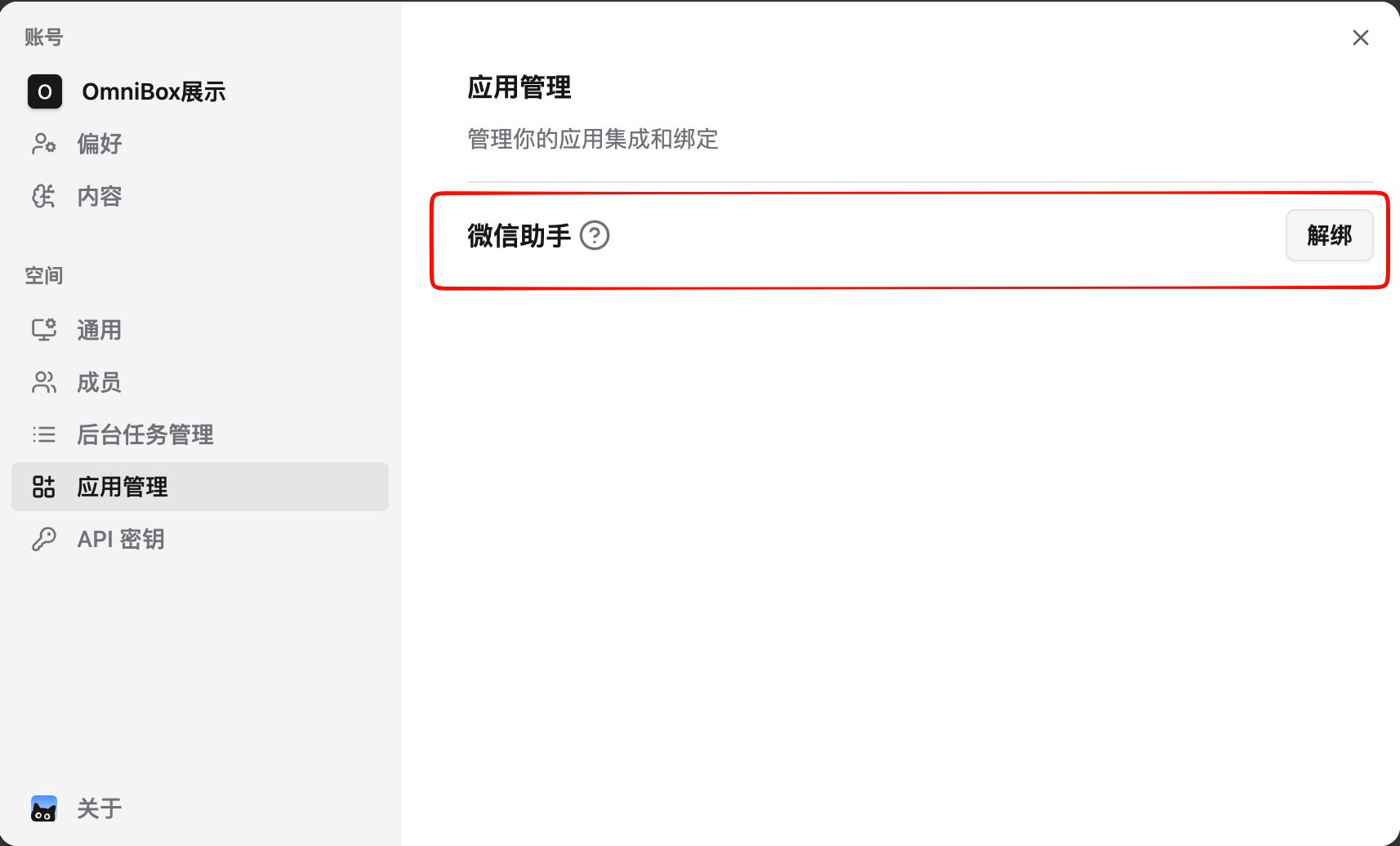
- Log in to OmniBox, click
Settingsin the upper left corner, selectApp Management, and bind WeChat bot
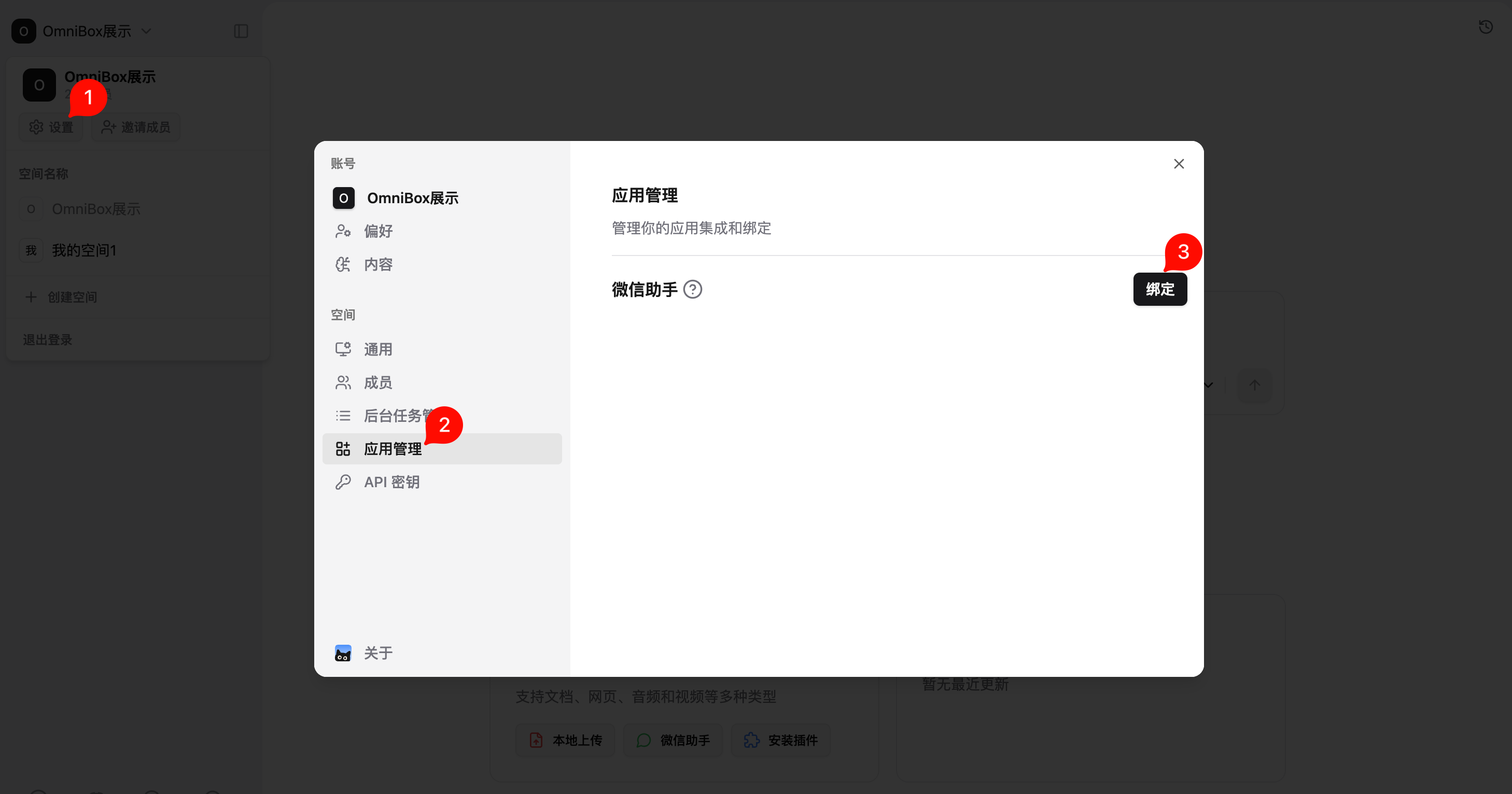
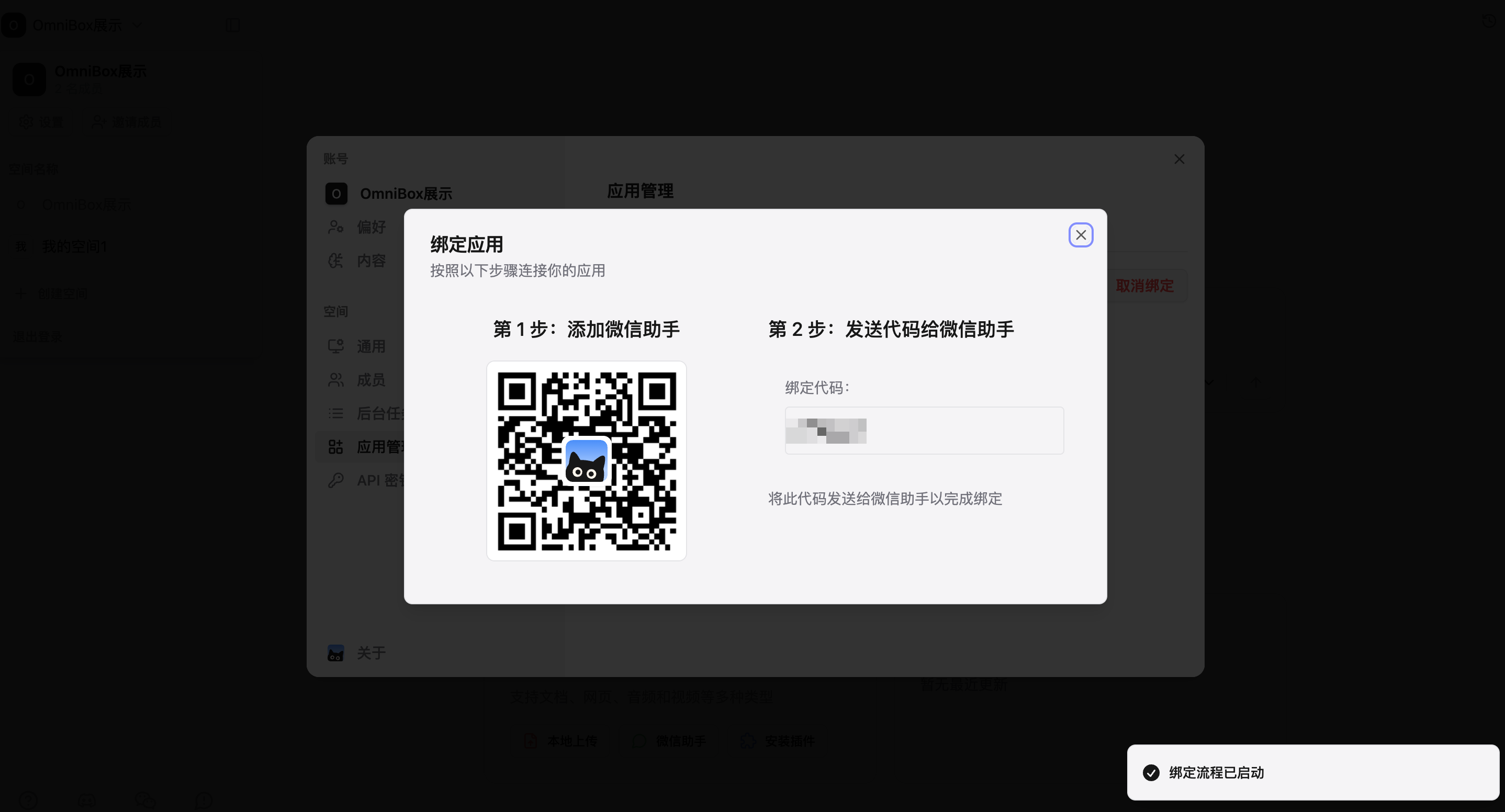
- After clicking
Bind, follow the prompts to bind the WeChat bot
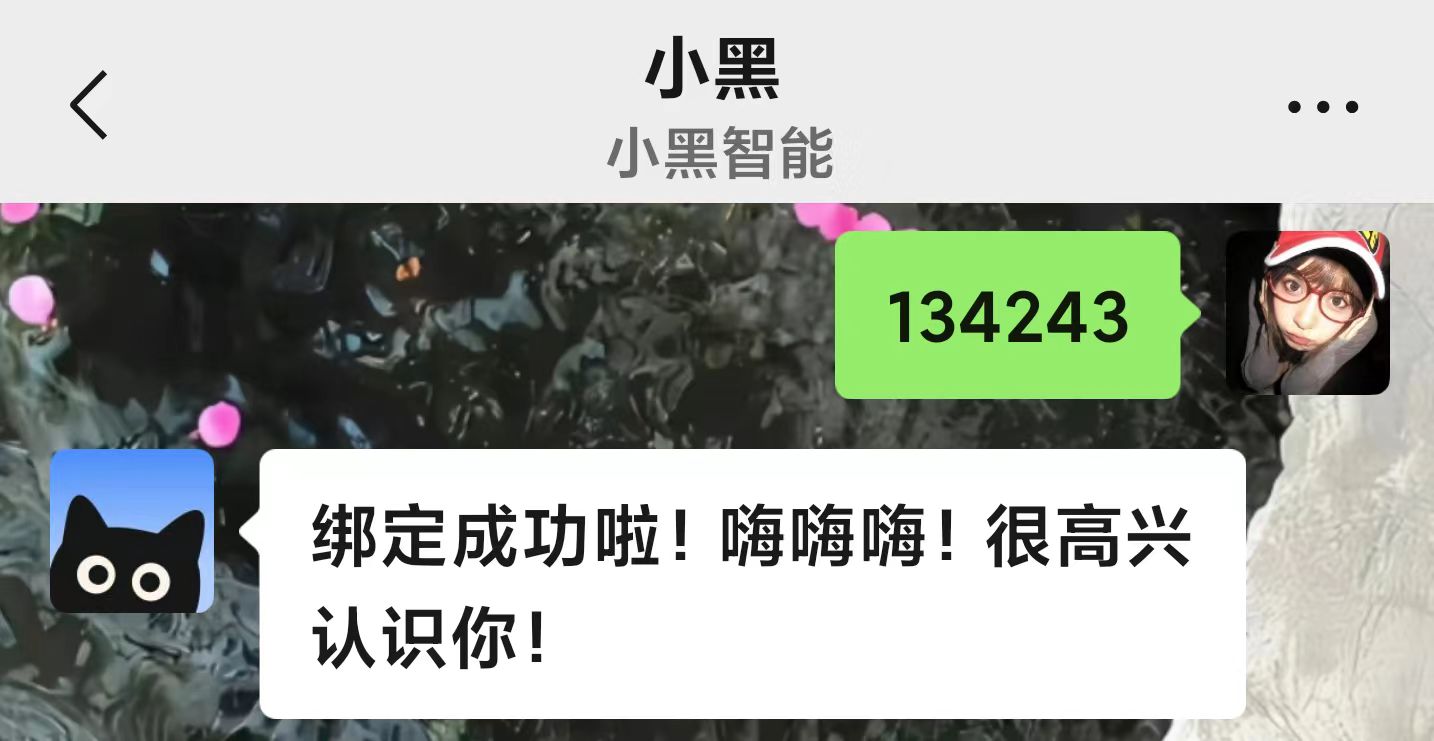
- WeChat Bot bound successfully
FAQ
- What message types does WeChat Bot support?
- How do I specify the space for WeChat Bot to save to?
- How do I save to a specific folder with WeChat Bot?
- How do I ask WeChat Bot a question?
- How do I make WeChat Bot save text?
- Which video platforms are not supported for parsing?
- Why wasn't my uploaded image parsed as a document? It's just showing one image?
- Can WeChat Bot be bound to two WeChat accounts?