

Intelligent Search
Intelligent Search helps you quickly find resources in the current namespace. You can enter keywords or a natural-language description, or narrow the scope with filters to find documents, saved web pages, file content, and audio or video transcripts.
Search results follow your permissions in the current namespace. Only resources you can view will appear in the results.
Feature Highlights
- Keyword and semantic search: Search by title, keyword, or a natural-language description.
- Recently updated: When you have not entered a search query, recently updated resources are shown so you can quickly return to recent work.
- Filters: Filter resources by title, tags, link, file name, content, created time, or updated time.
- Result previews and navigation: Results show the title, resource type icon, and content preview. Click a result to open it directly.
- Quick actions: Open search with a shortcut, open results in a new window, use the right-click menu, and close the search dialog.
Entry Point
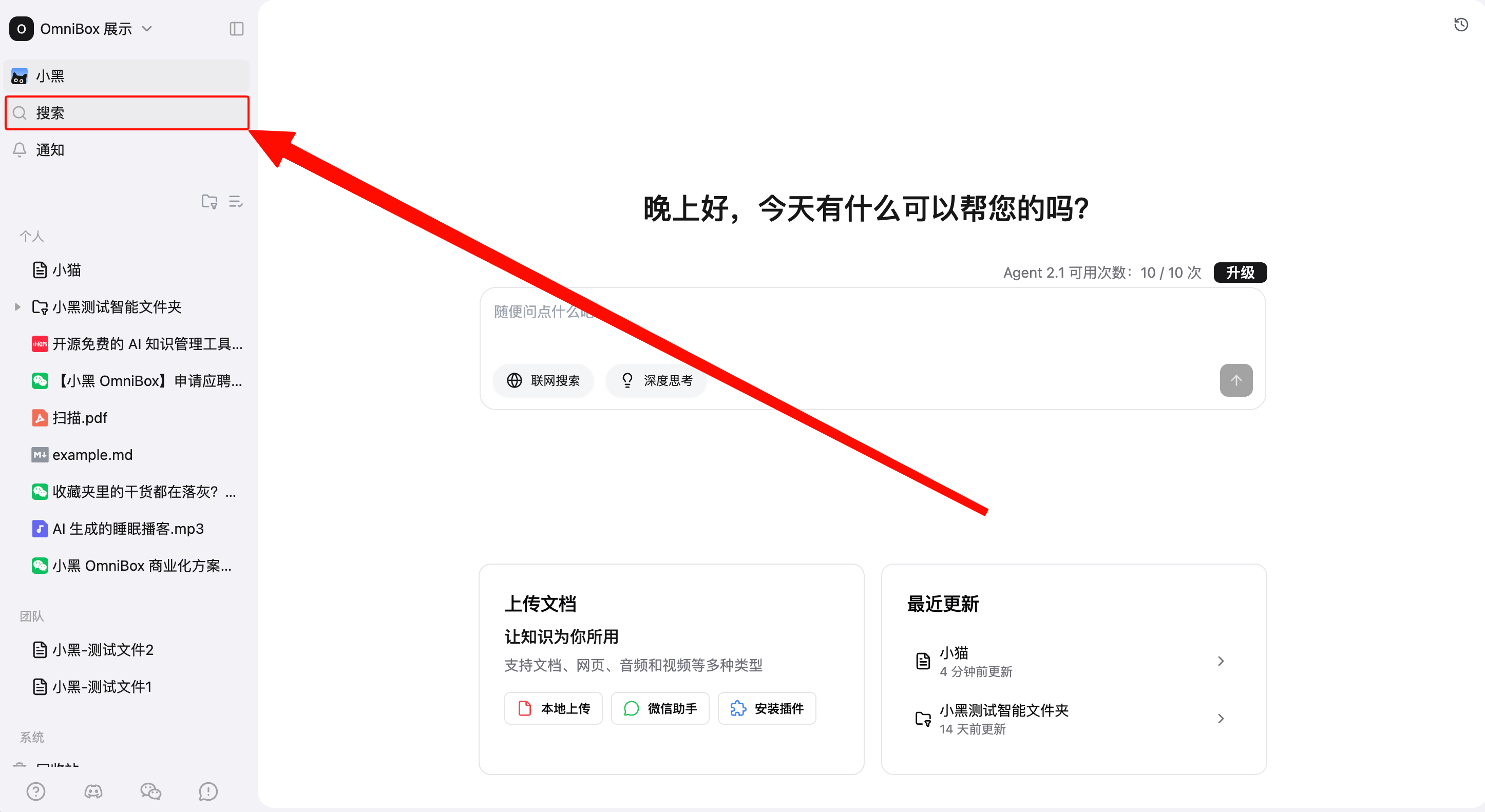
On the web app, click Search in the left sidebar to open the search dialog.
You can also open or close search with a keyboard shortcut:
- macOS:
Command + J - Windows:
Ctrl + J
After the search dialog opens, enter text in the top input box to start searching. Search runs automatically; you do not need to press Enter.
Mobile APP
On the OmniBox Mobile APP homepage, tap the search icon at the top to open the search page.
The Mobile APP also supports keyword and natural-language search, as well as filters by title, tags, web link, file name, content, created time, and updated time. When no query or filter is set, it shows Recently Updated.
Tap a search result to open it. Files open in the detail page, while folders and Smart Folders open their resource lists. When searching resource content, the Mobile APP also highlights matching keywords so you can quickly locate the matched position.
Recently Updated
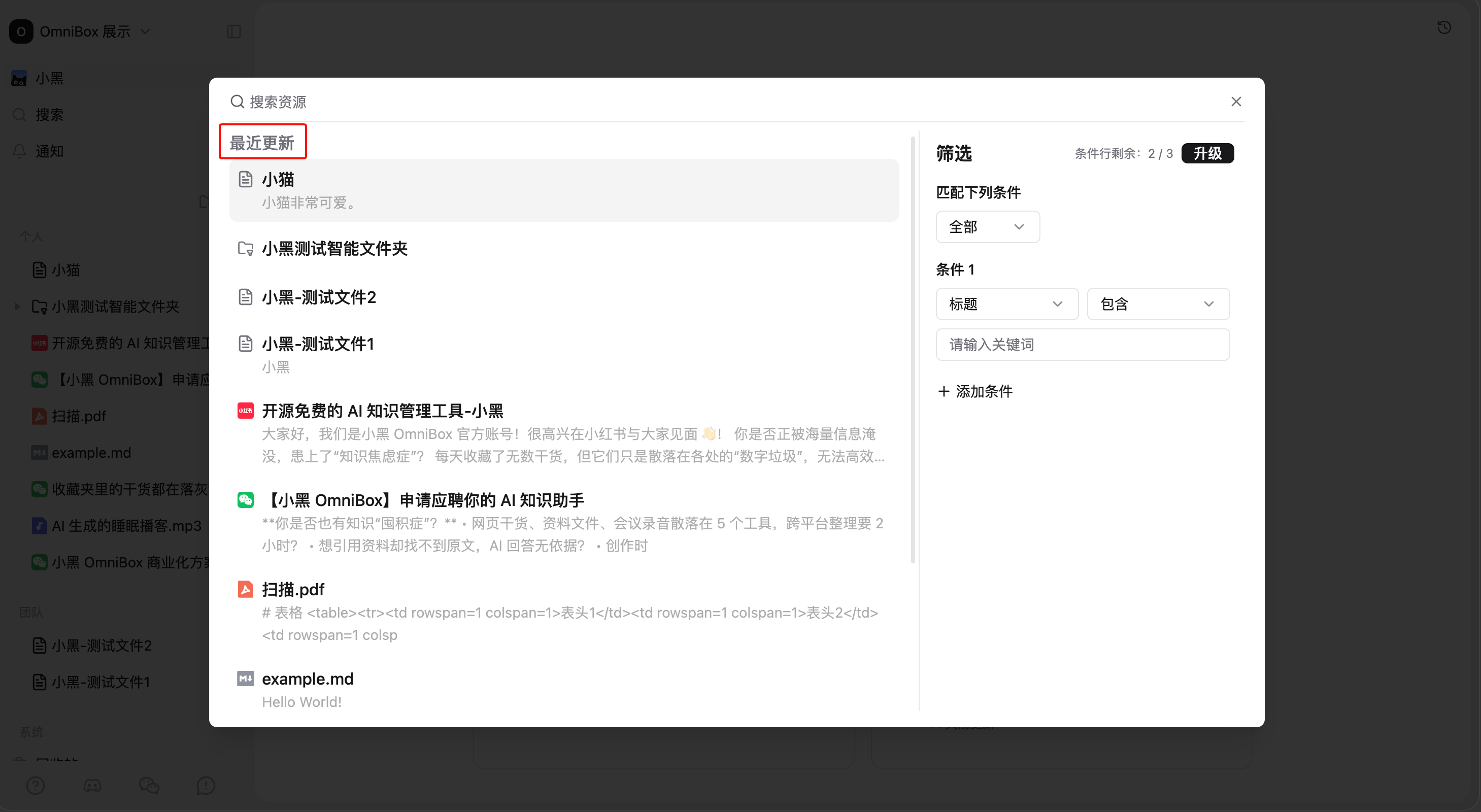
When the search box is empty and no filters are set, the search dialog shows Recently Updated.
This area lists recently updated resources in the current namespace, making it easy to return to content you just uploaded, edited, or saved.
Keyword and Semantic Search
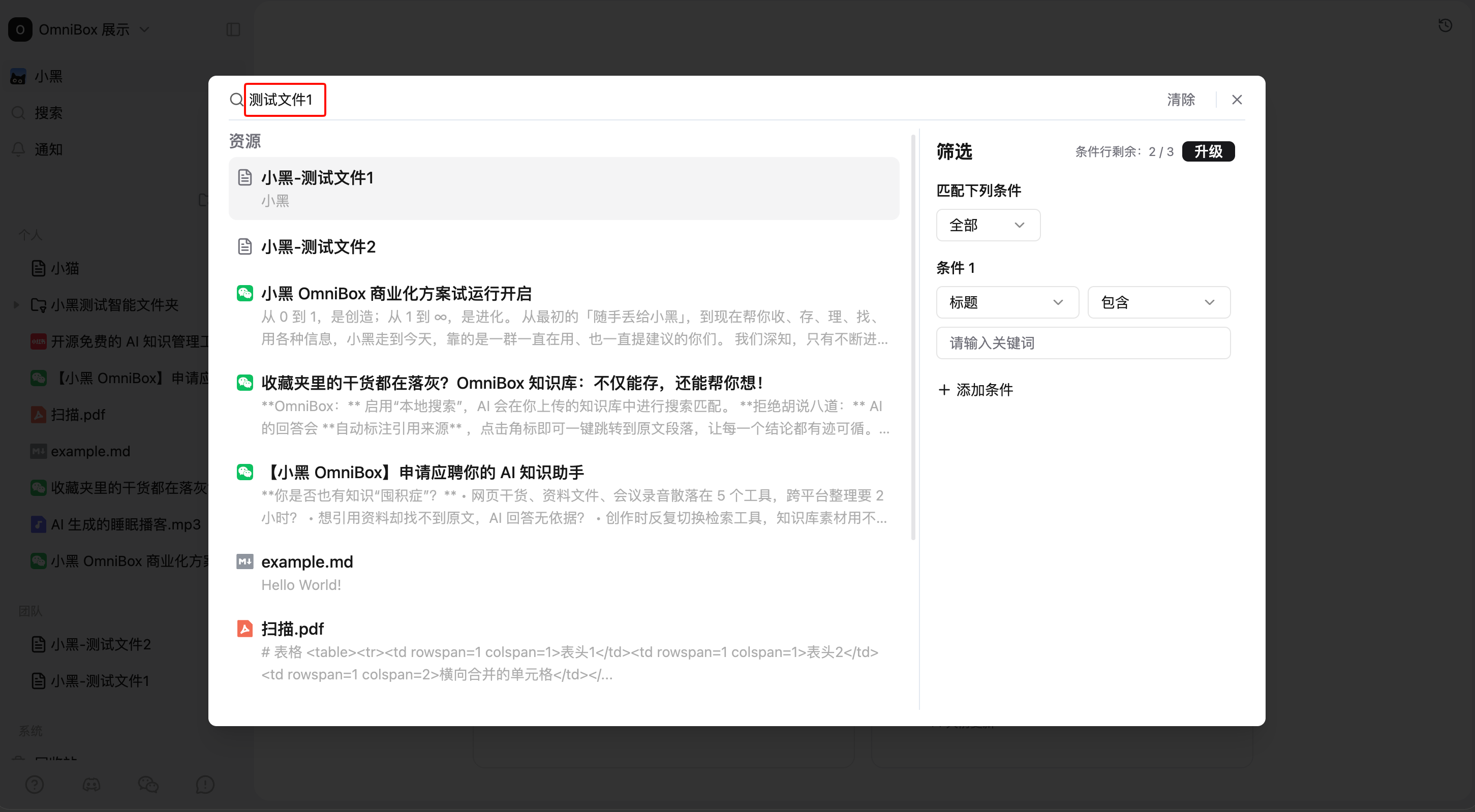
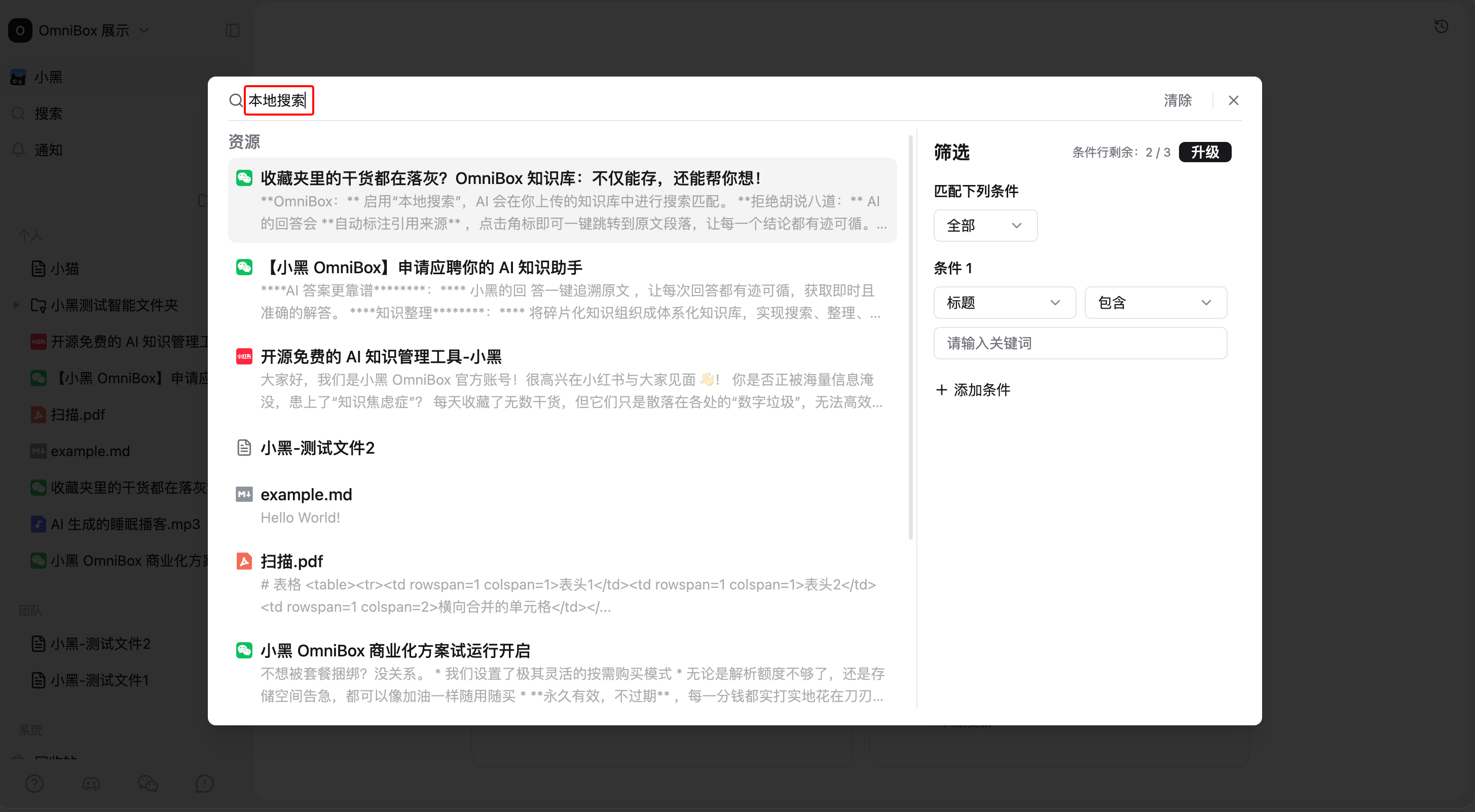
Enter a keyword, title fragment, or natural-language description, and OmniBox will search for relevant resources in the current namespace.
For example, you can search when:
- You remember part of the title.
- You remember a keyword from the content.
- You only remember the rough meaning and want to describe it naturally.
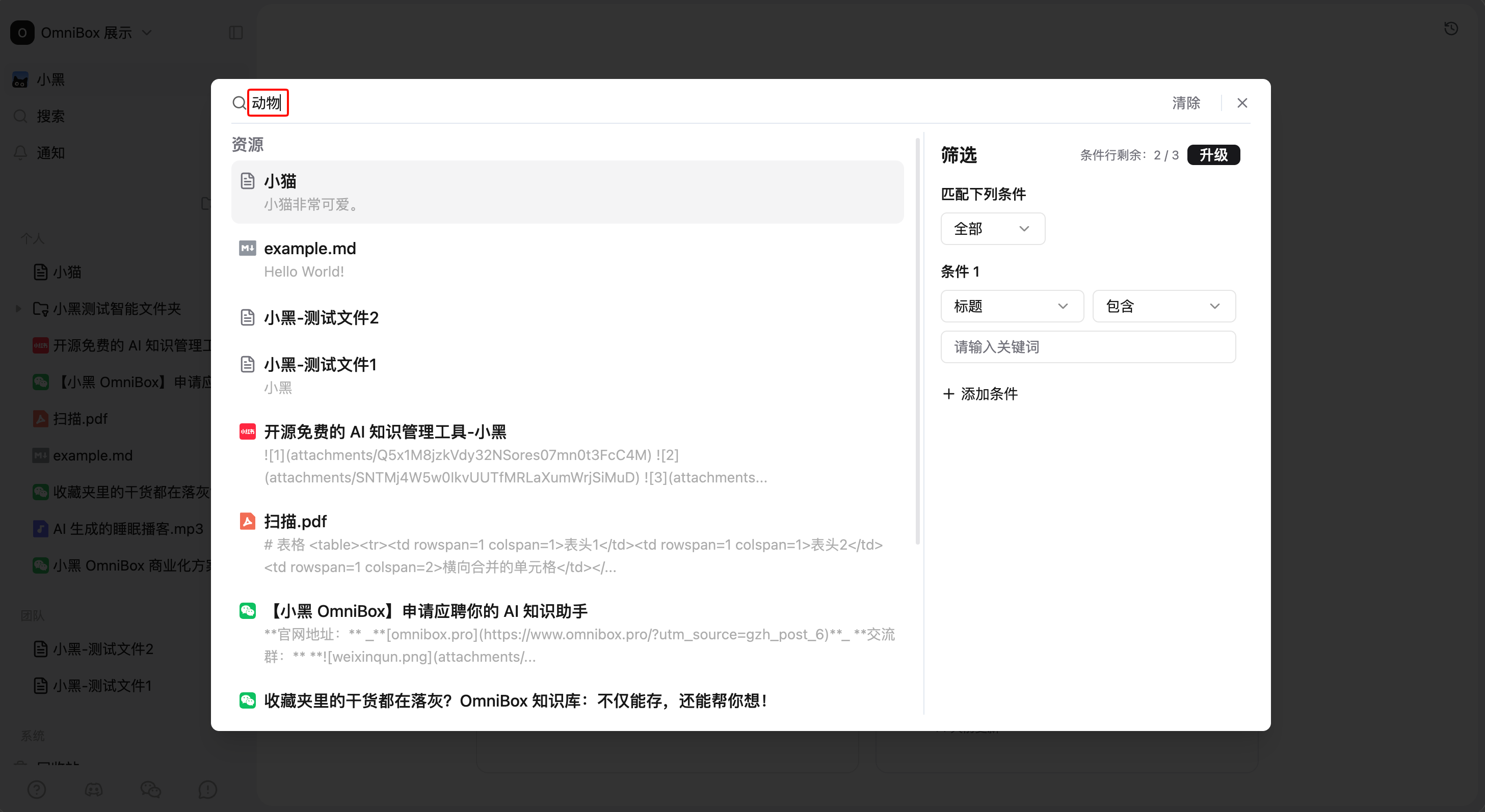
Filters
The filter panel is on the right side of the search dialog. You can use filters to narrow the search scope, or find resources with filters only, without entering keywords.
Filter Fields
The following fields are supported:
Title: Filter by resource title.Tags: Filter by resource tags.Web link: Filter by the URL of saved web pages or link resources.File name: Filter by the original name of uploaded files.Content: Filter by resource body text, transcripts, summaries, and similar content.Created time: Filter by resource creation time.Updated time: Filter by resource update time.
Match Mode
When you add multiple filters, choose how they should work together:
All: A resource must match every filter.Any: A resource only needs to match one filter.
Text Filters
Title, tags, web link, file name, and content support these relationships:
ContainsDoes not containEqualsDoes not equalIs emptyIs not empty
Time Filters
Created time and updated time support these relationships:
In the lastNot in the lastBefore dateAfter dateIn range
Basic namespaces can add up to 3 filters. Pro namespaces can add up to 10 filters.
Search Results
Each search result usually includes:
- Resource type icon
- Resource title
- Content preview related to the search query
After you click a result, OmniBox opens the resource. If the search term appears in the content, the resource page automatically scrolls to the first match and highlights the text so you can find the context quickly.
If there are many results, scroll down to load more.
Search Result Actions
When viewing results in the search dialog, use these actions to search more efficiently:
- Click a result: Open the resource and close the search dialog.
Command(Ctrlon Windows) + left-click: Open the resource in a new window.- Right-click a result: Open the browser's native context menu.
- Click
Clear: Clear the current search query and results. - Press
Esc: Close search.
After you close the search dialog, the search input and results are preserved. When you open search again, the previous content is still shown.
Common Uses
Find Recently Updated Resources
- Open search.
- Do not enter a keyword.
- Click a resource in
Recently Updated.
Search by Keyword
- Open search.
- Enter a title, keyword, or natural-language description.
- Review the previews and click the most relevant result.
Filter Resources
- Open search.
- Set filters on the right, such as
Tagscontains a word orUpdated timeis in the last 7 days. - For more precise results, add more filters and choose
AllorAny. - Click a result to open the resource.
Search Within a Filtered Group
- Set a filter first, such as
Tagscontains "meeting notes". - Enter a keyword, such as "budget".
- OmniBox searches for keyword-related content only within resources that match the filters.
Tips
- Search is scoped to the current namespace. To search another namespace, switch namespaces first.
- Search results only include resources you have permission to view.
- If a newly uploaded or edited resource does not appear immediately, wait a moment and try again.
- If you are not sure which keyword to use, start with a natural description, then narrow the results with filters.