
Download & Install
Currently, OmniBox is available on PC via web and PWA, and on mobile via the native App. Please beware of counterfeit versions.
Mobile APP
Currently available on:
OPPO,vivo,Xiaomi,App Store,HarmonyOS (ZhuoYiTong),Honor,360,Wandoujia,Tencent App Store,Google Play
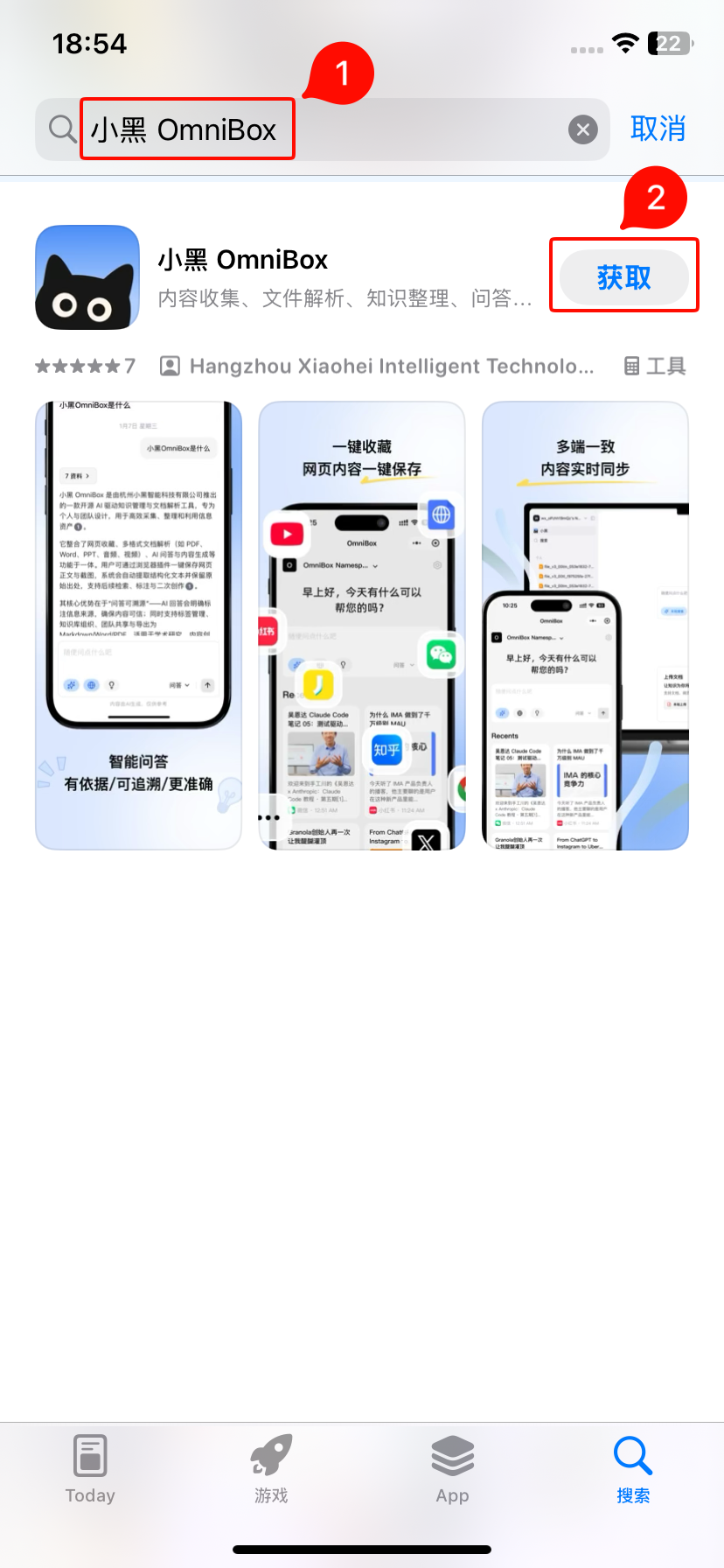
iPhone Client
Click OmniBox to install, or search for
OmniBoxin the App Store.Supports saving content, reading, AI Q&A, managing knowledge base content, receiving notifications, system share sheet extension, and saving links from clipboard.
Android Client
Search for
OmniBoxin your phone's app store to install. For brands not yet listed, contact us to request a listing.Supports saving content, reading, AI Q&A, managing knowledge base content, receiving notifications, system share sheet extension, and saving links from clipboard.

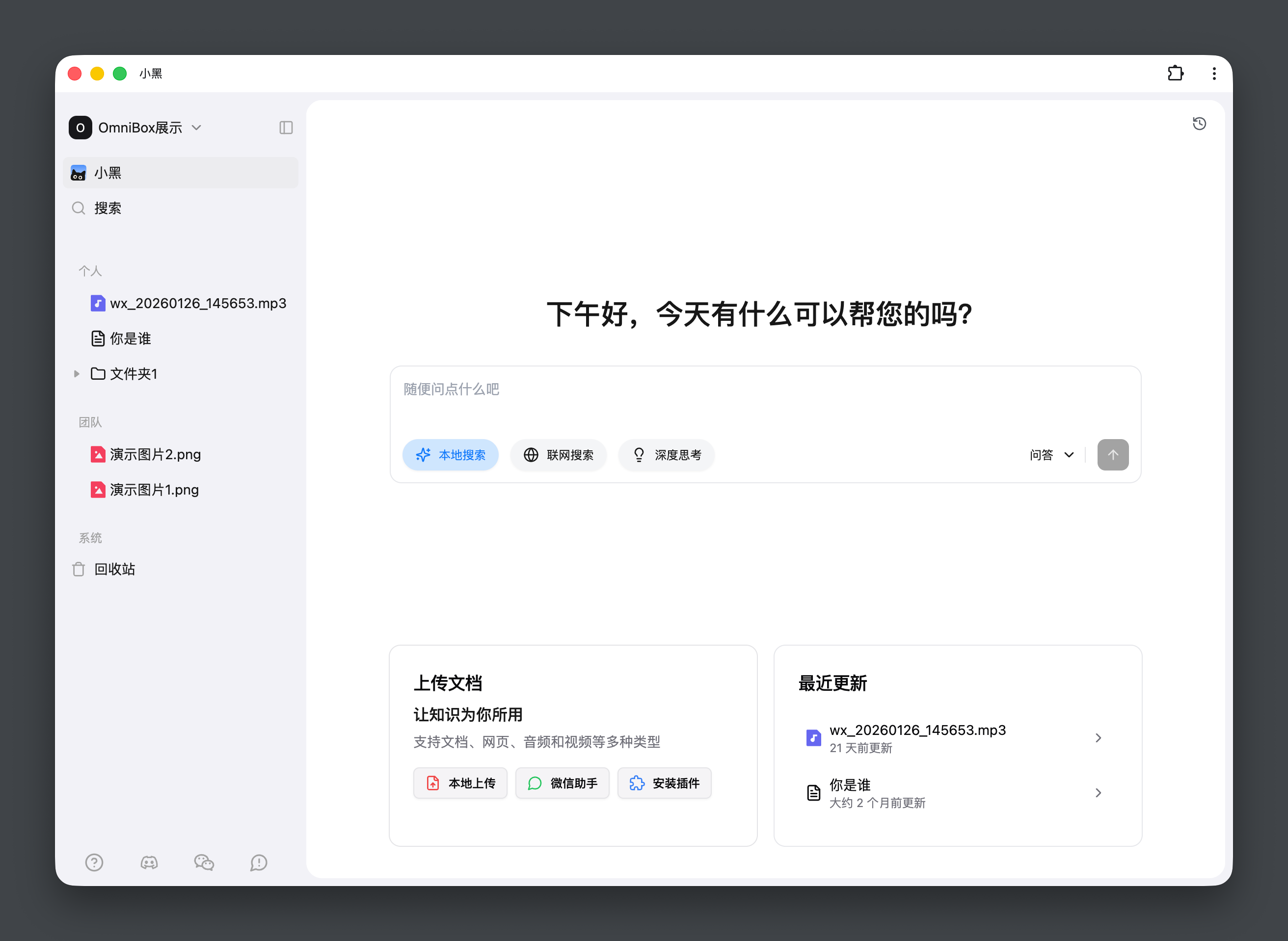
OmniBox PWA
- You can install the OmniBox PWA on
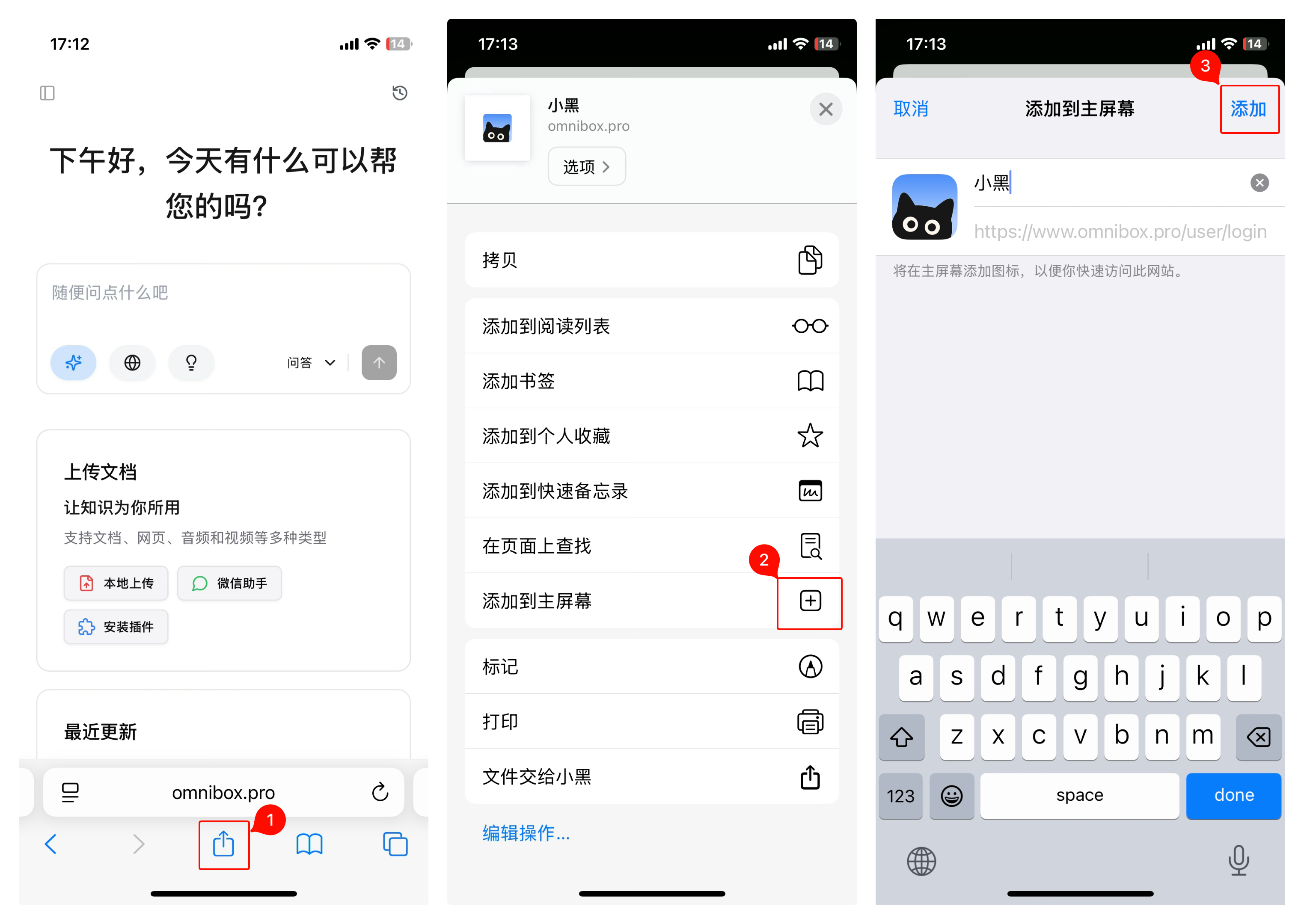
PCormobilevia Chromium-based browsers (such as Chrome, Edge) or Safari for an experience close to a native app.- HarmonyOS does not support PWA.
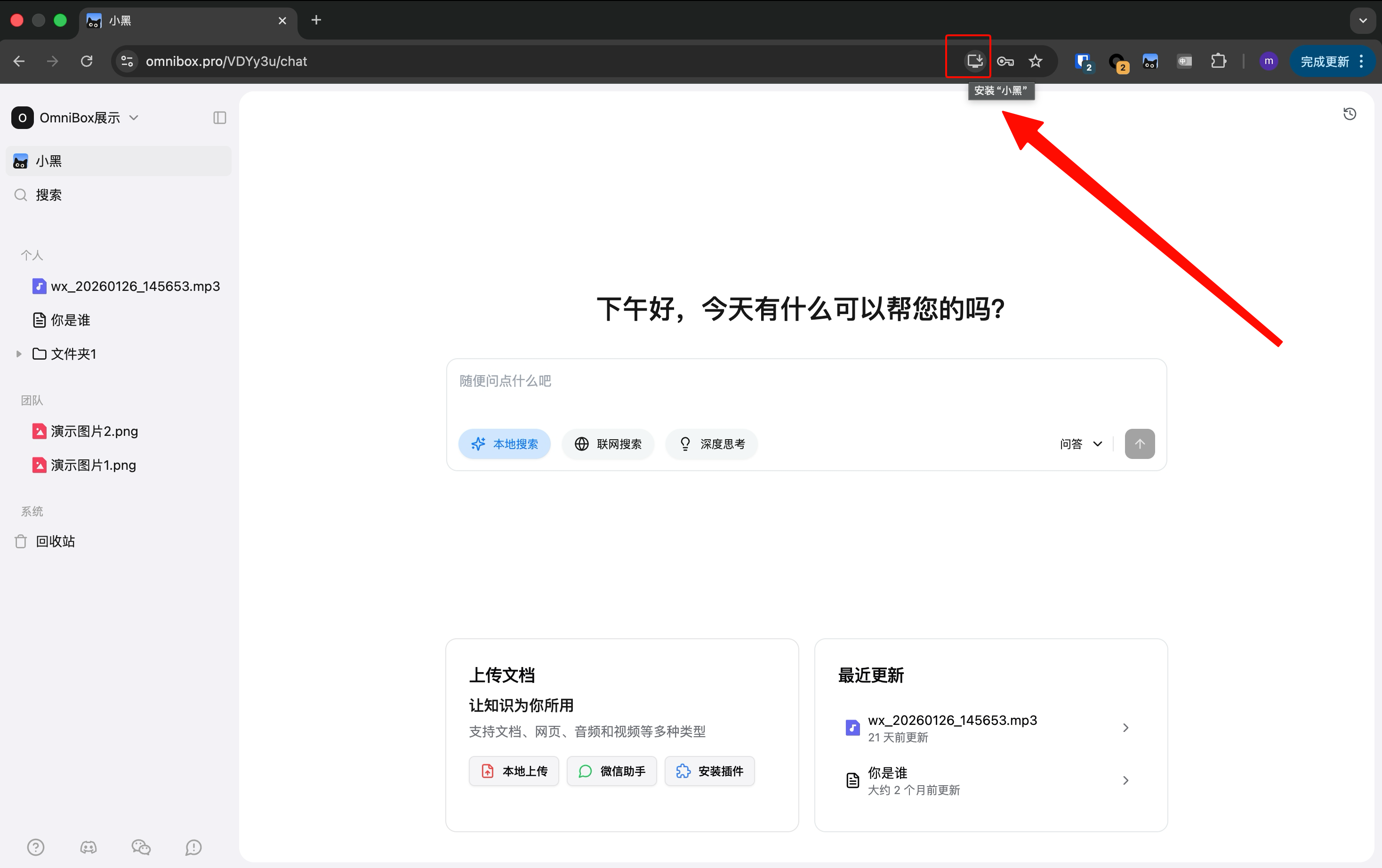
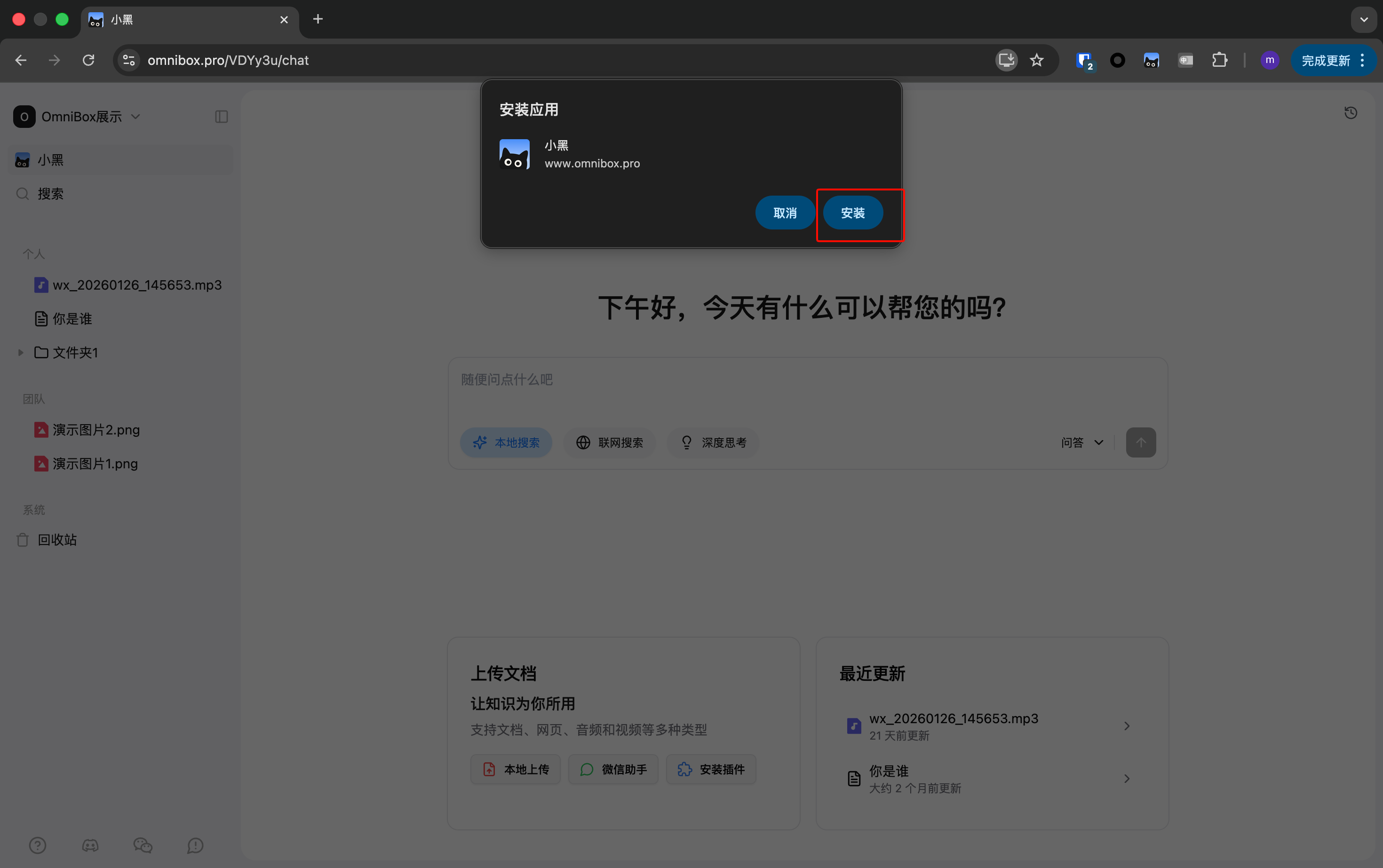
Installation: Use Chrome or Edge to visit the OmniBox web app and log in, then click the install icon in the address bar to complete installation.
PCInstallation Tutorial
MobileInstallation Tutorial