
WeChat Assistant
Bind your WeChat Assistant to easily collect information from the WeChat ecosystem and save it to your knowledge base with one click.
Binding
- The new version of the assistant will not reply to your messages
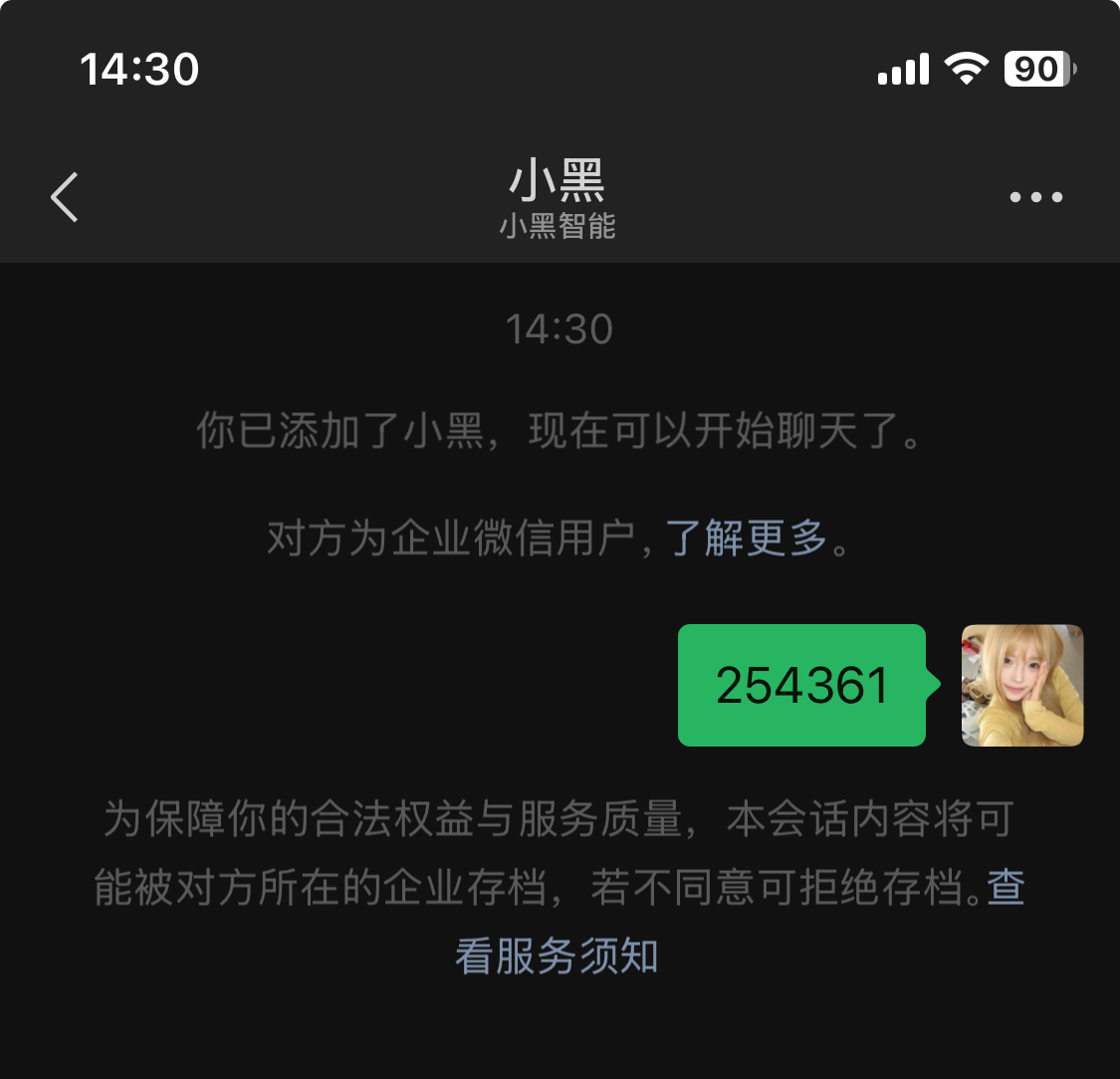
- There will be no reply after entering the verification code for binding. You need to check your OmniBox to see if binding was successful
- By binding WeChat Assistant, you agree to the Terms of Service and Privacy Policy
- If you encounter issues with binding or saving failures, please contact us for help
- Possible reason for binding failure: Your WeChat has already been bound to another space. You need to unbind from the original space first before binding to the new space
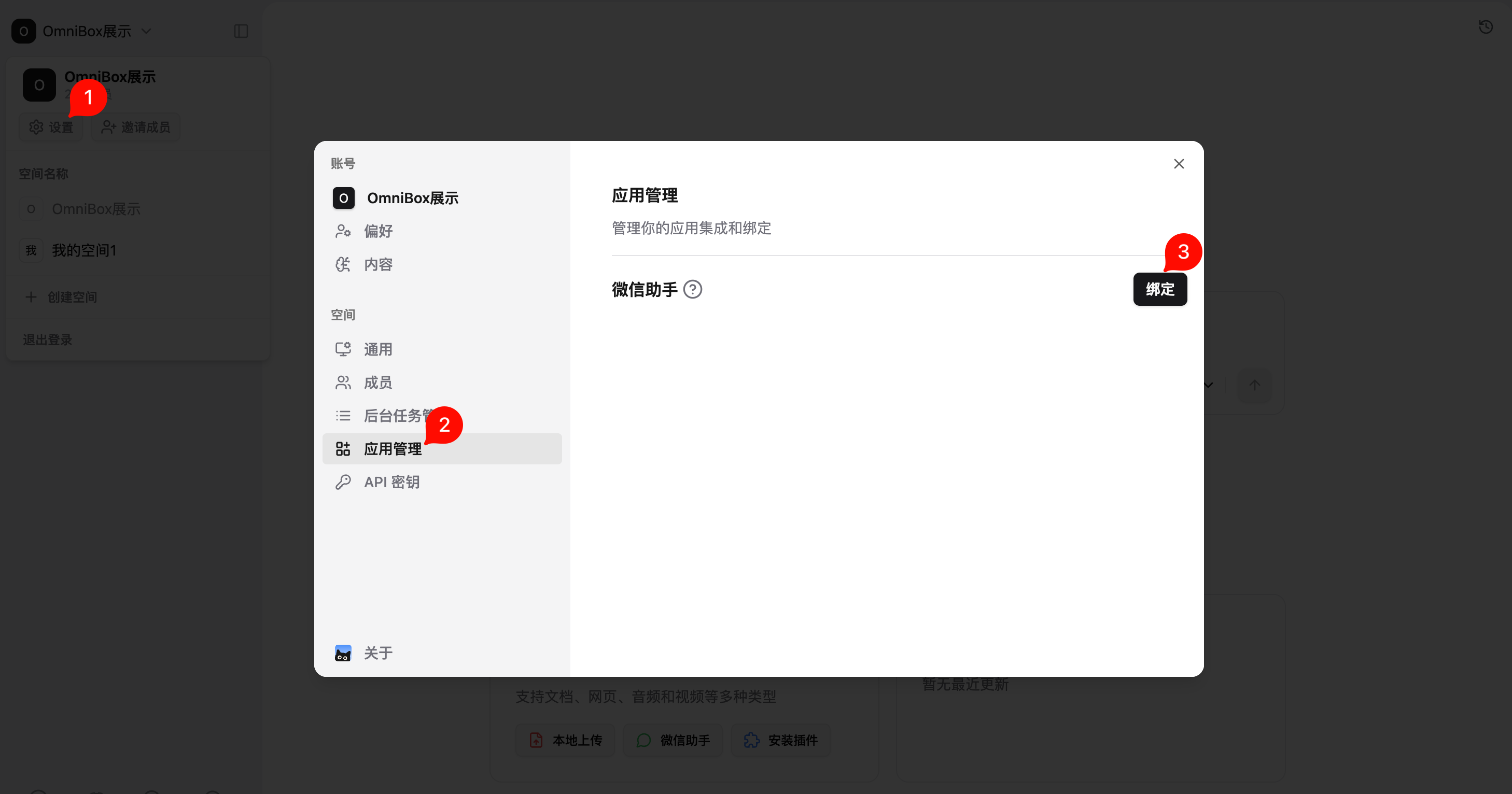
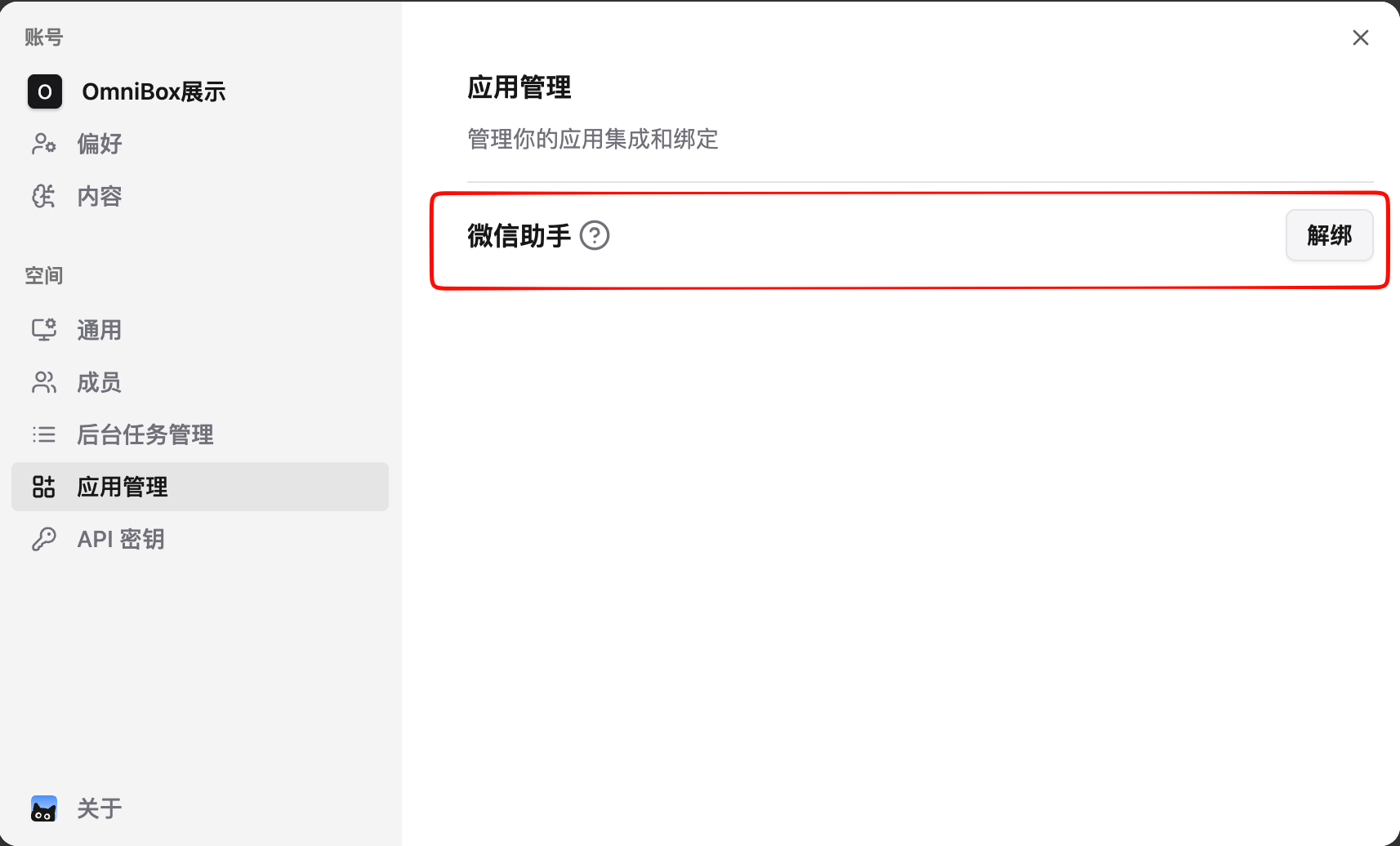
- Log in to OmniBox, click
Settingsin the upper left corner, selectApp Management, and bind WeChat assistant
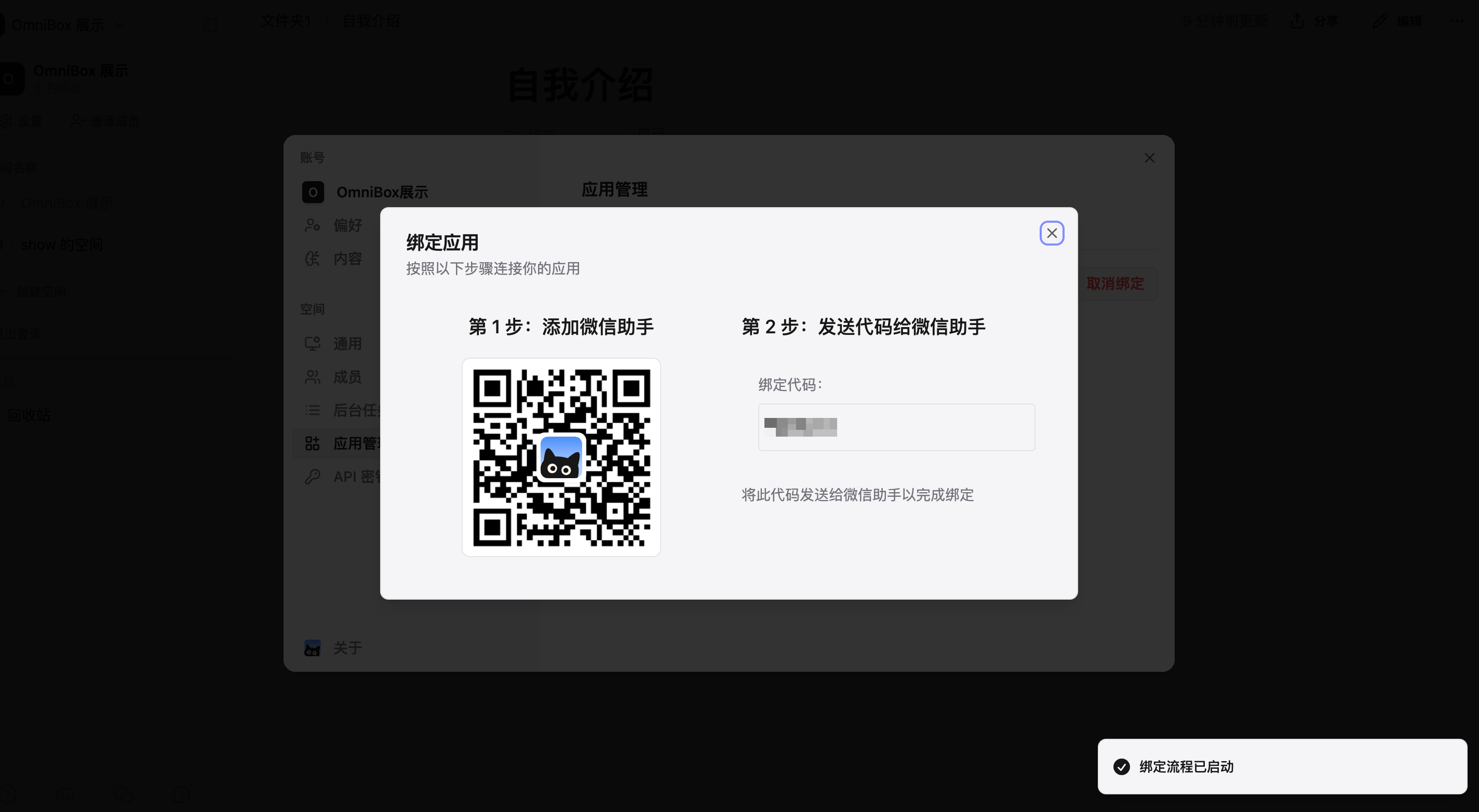
- After clicking
Bind, follow the prompts to bind the WeChat assistant
- WeChat Assistant bound successfully
Supported Message Types
Currently Supported
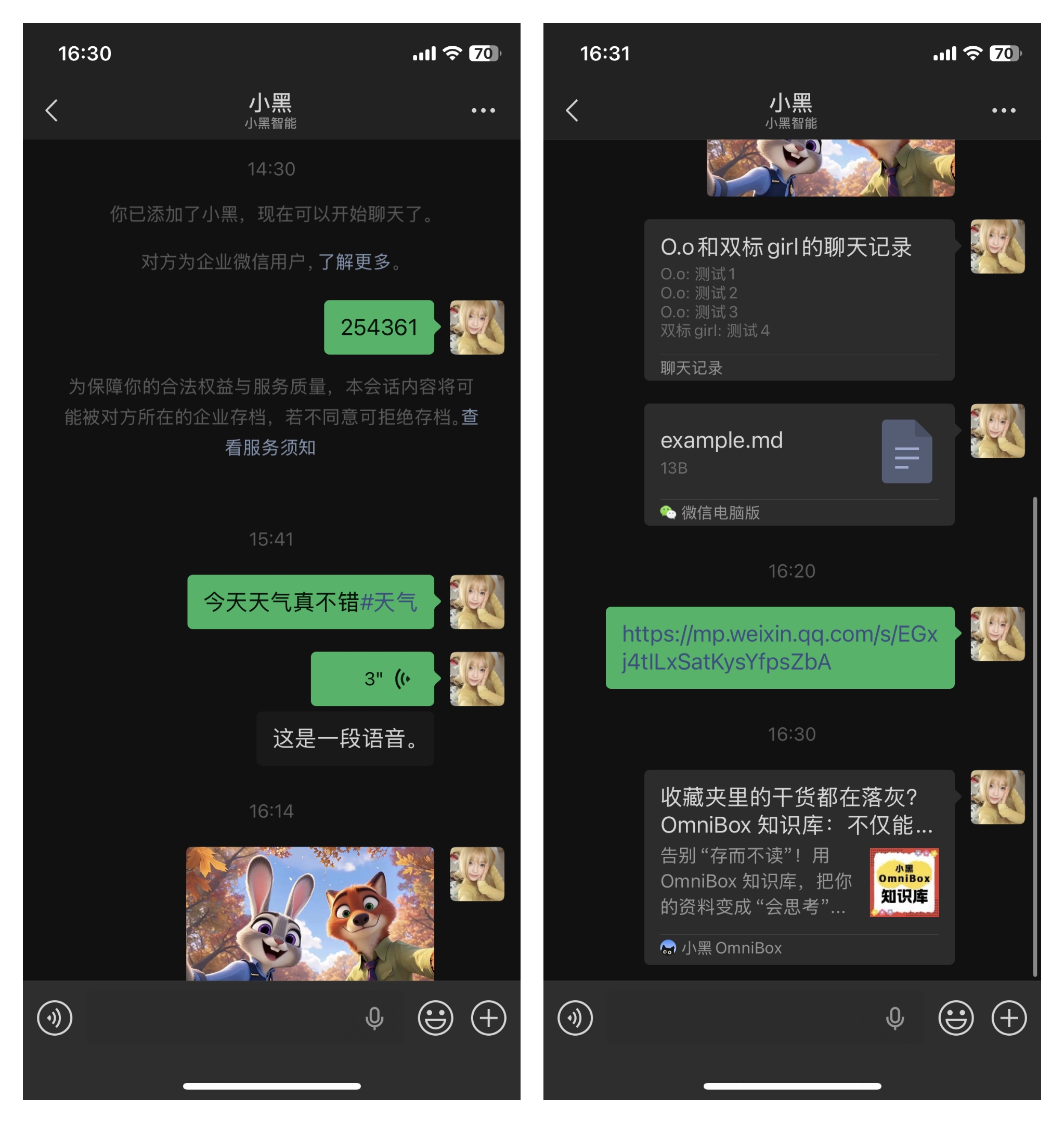
- Text (save text)
- Web pages / Links / Cards (only supports domestic websites)
- Voice
- Images
- Files (see supported file types: File Upload)
- Merged forwarded messages
Not Supported
- Text (asking questions)
- Mini Programs
- Contact Cards
- Large Stickers
- Video Account
- Red Packets
- Location
Save Content
To ensure overall service stability and user experience, we have added message processing frequency limits. For each user, the system only processes the first message received within 3 seconds
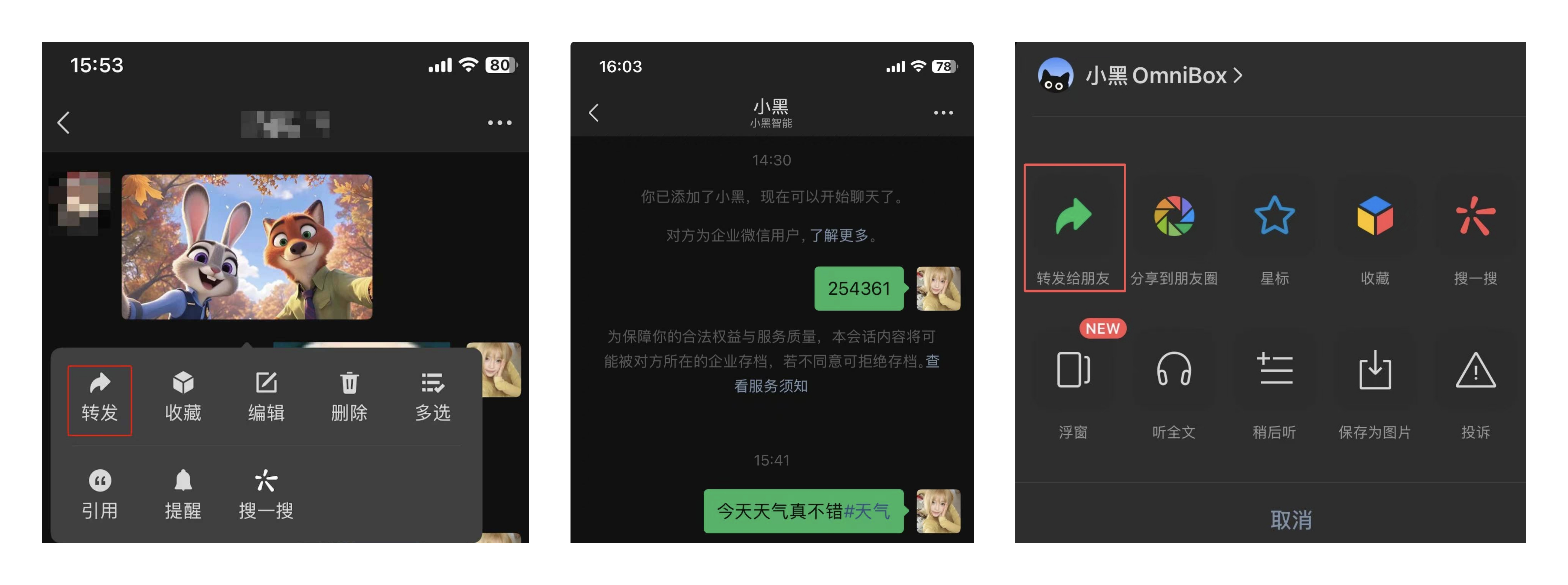
- Send content to
OmniBox Assistantin WeChat to save it. Supports direct forwarding, manual input, or local upload. - Saved content will be stored in Personal resource list by default
- Currently there will be no reply after saving. Saved content will appear in your OmniBox after a short moment
Specify Save Location
Specify Space
WeChat Assistant is currently bound to a space. To save WeChat Assistant information to a specific space, you need to unbind from the original space and rebind in the new space.
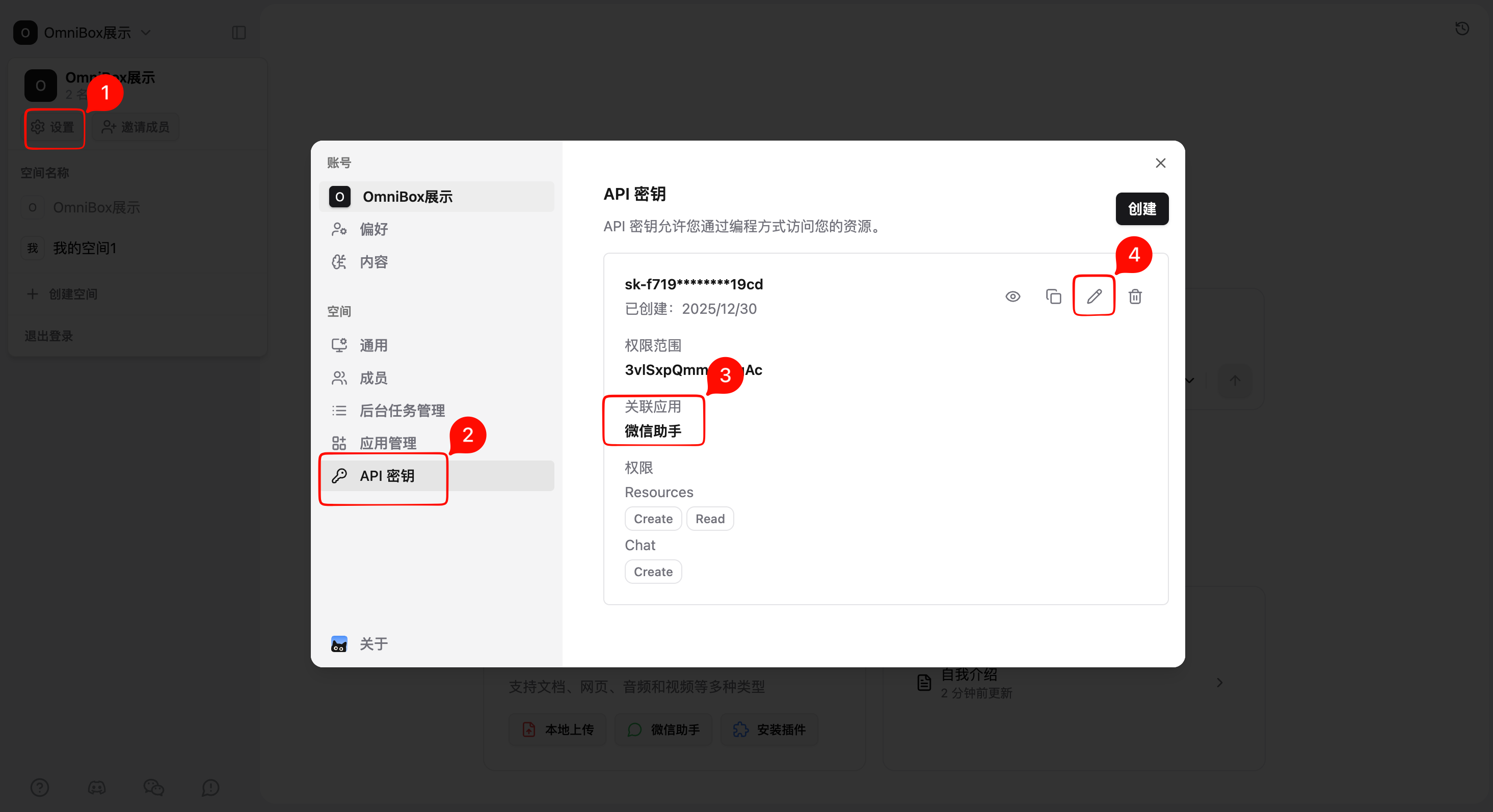
Specify Folder
- Open
Settings - Select
API Keys - Find the API key associated with WeChat Assistant
- Click
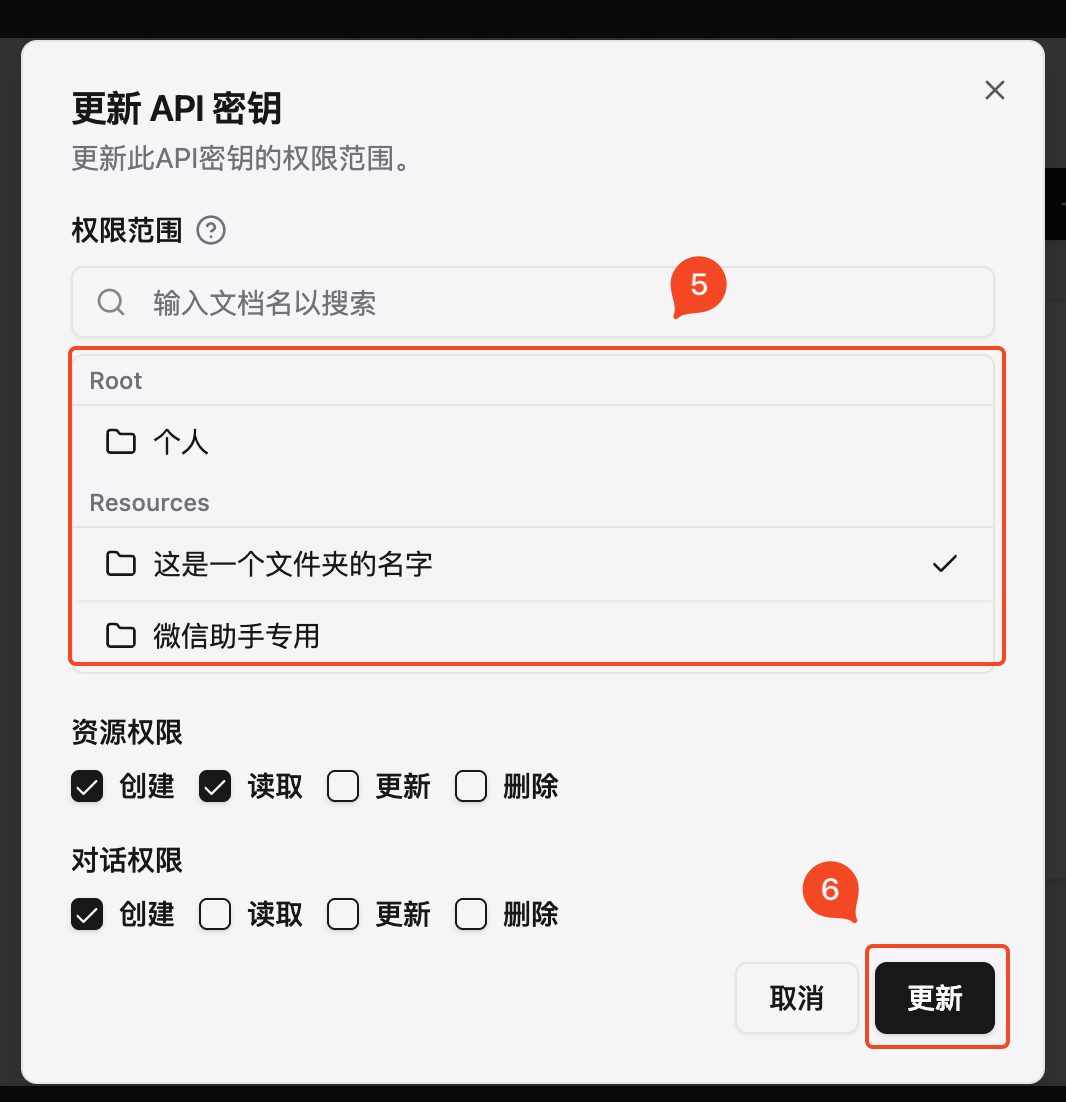
Edit - Select save location
- Click
Update
Add Tags When Saving Text
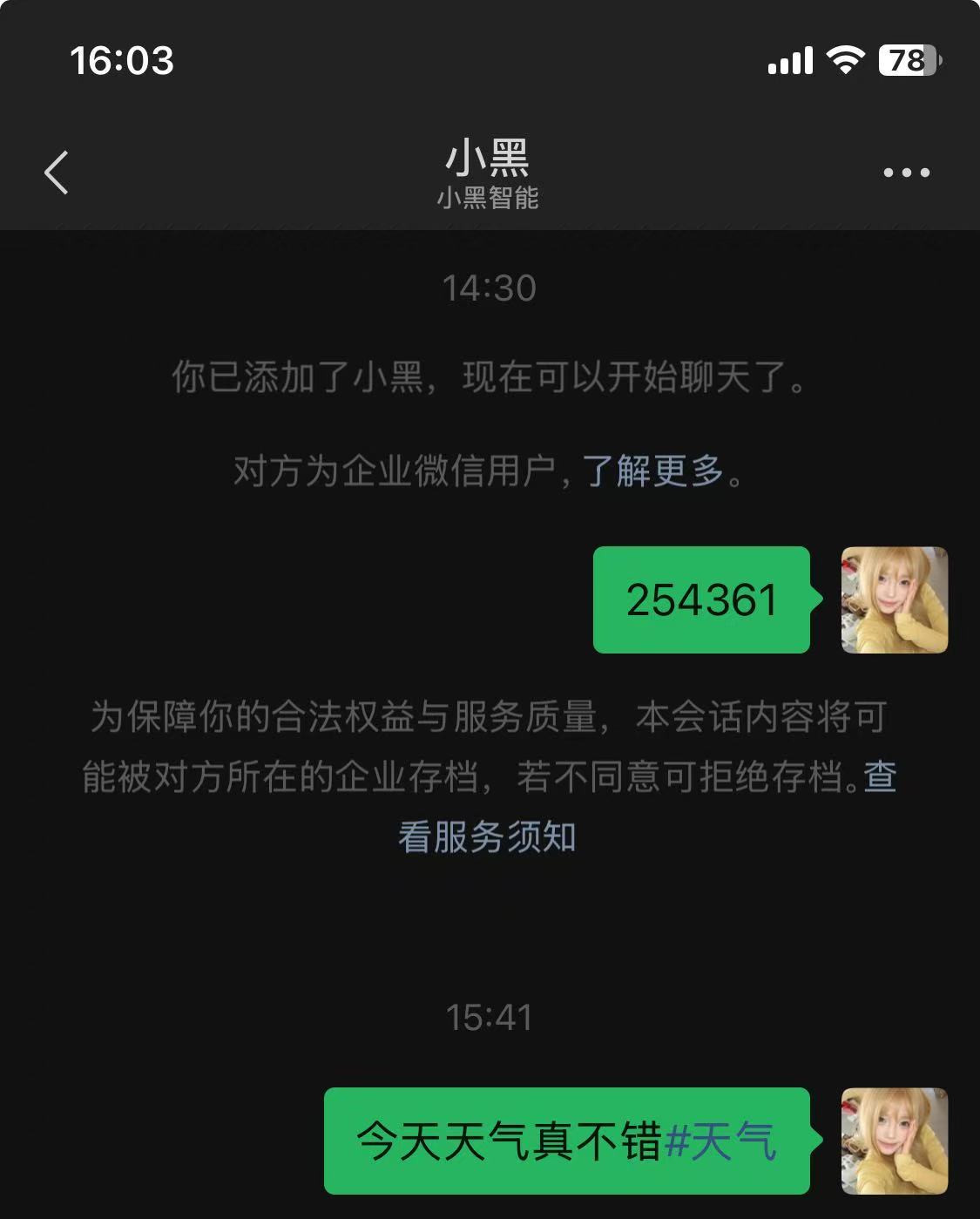
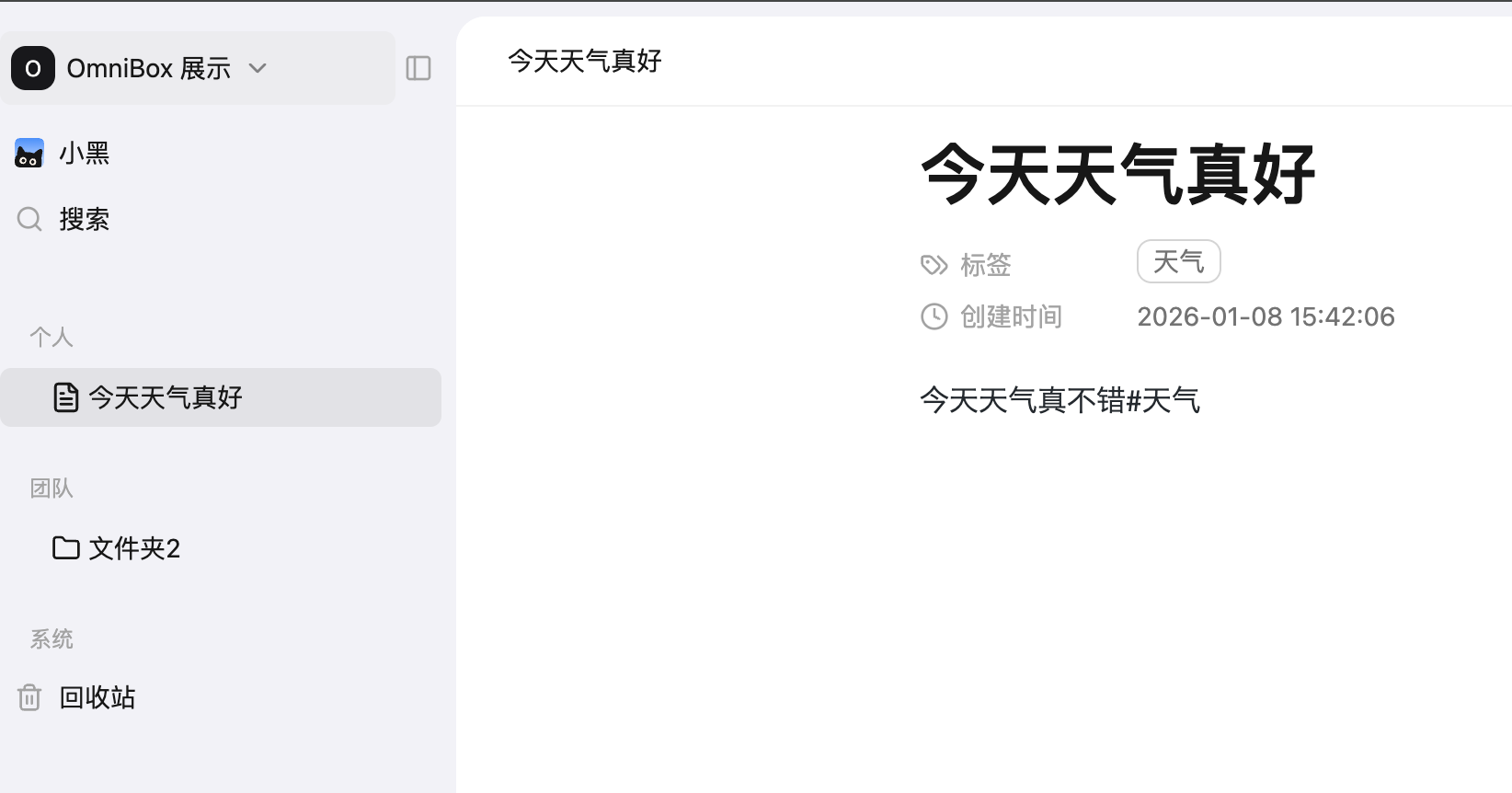
When sending text to WeChat Assistant, you can add #tag content at the end of the text to manually add tags, such as The weather is great today#weather.
Demo
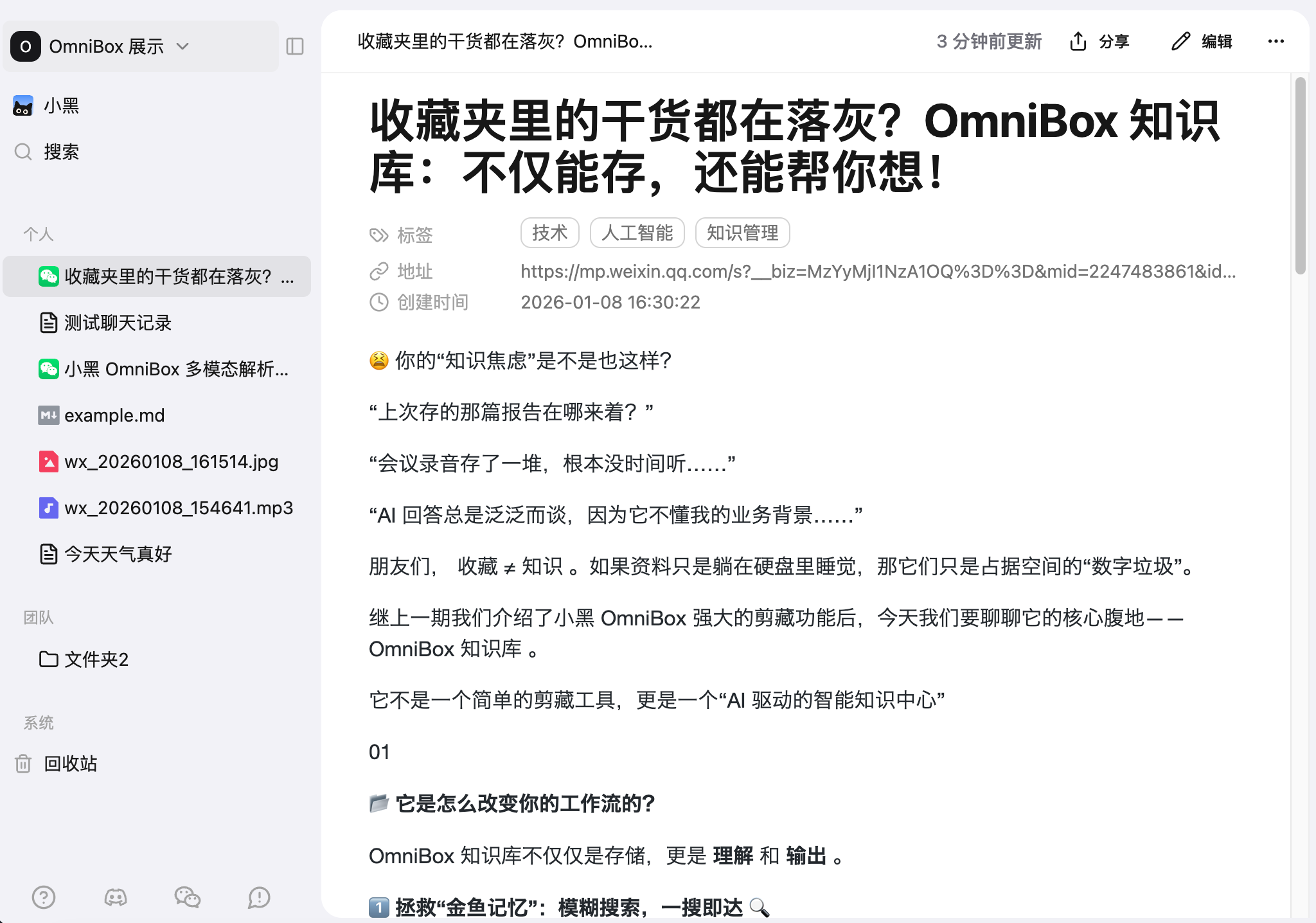
- Send content in WeChat
- Parsing result in OmniBox after sending: