

WeChat Assistant
| Item | Details |
|---|---|
| Best for | Sending information from WeChat directly to a knowledge base |
| Current limits | No Q&A or success reply; one namespace per binding; only the first message received within 3 seconds is processed |
WeChat Assistant is a capture-only integration that saves text, voice messages, images, files, web links, and supported forwarded content from WeChat to OmniBox.
Binding
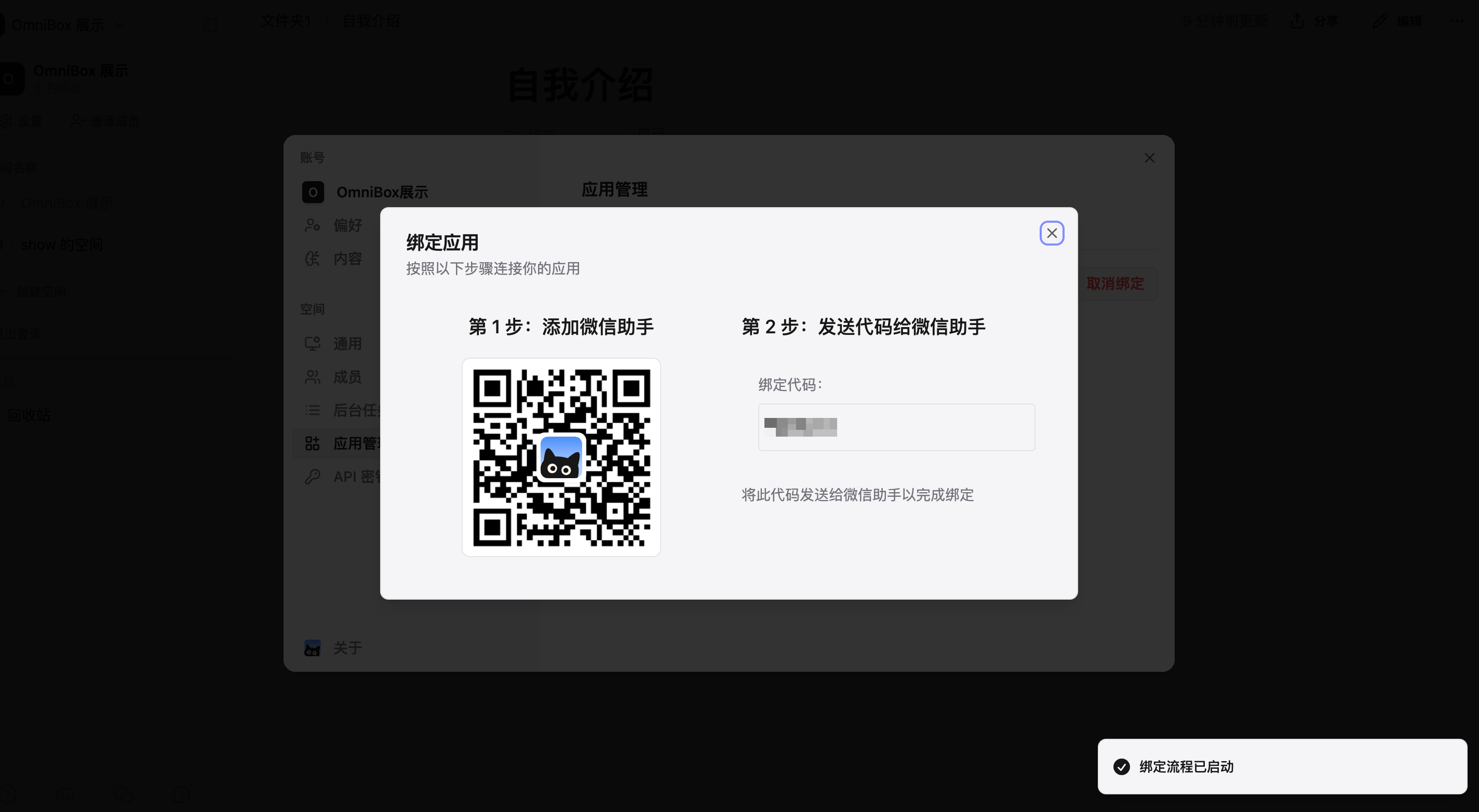
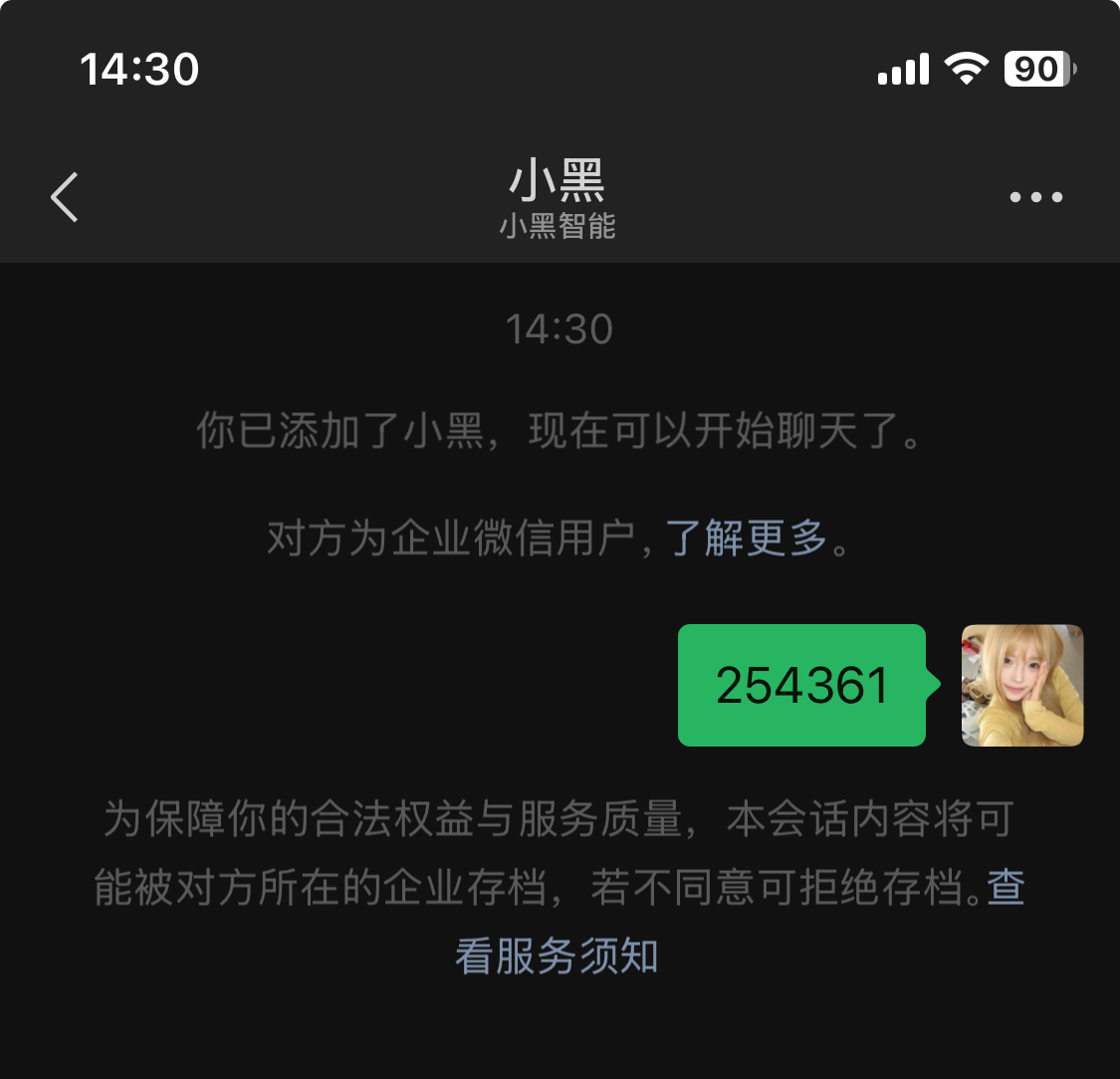
- You will not receive a reply when entering the verification code for binding. Please check your OmniBox to verify if the binding was successful
- By binding the WeChat Assistant, you agree to the Terms of Service and Privacy Policy
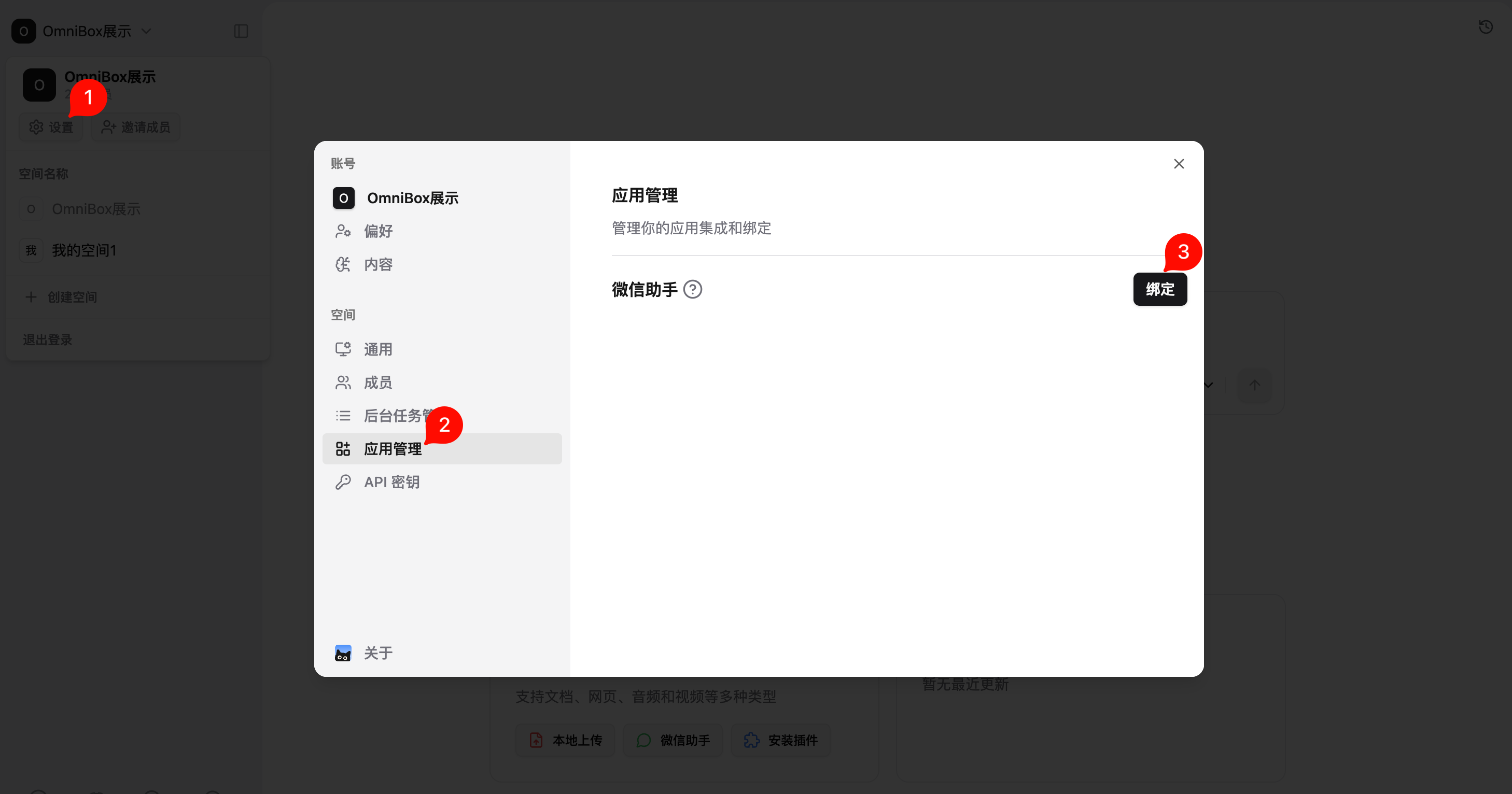
- Log in to OmniBox, click
Settingsin the top left corner, selectApp Management, and bind WeChat Assistant
- Click
Bindand follow the prompts to bind WeChat Assistant
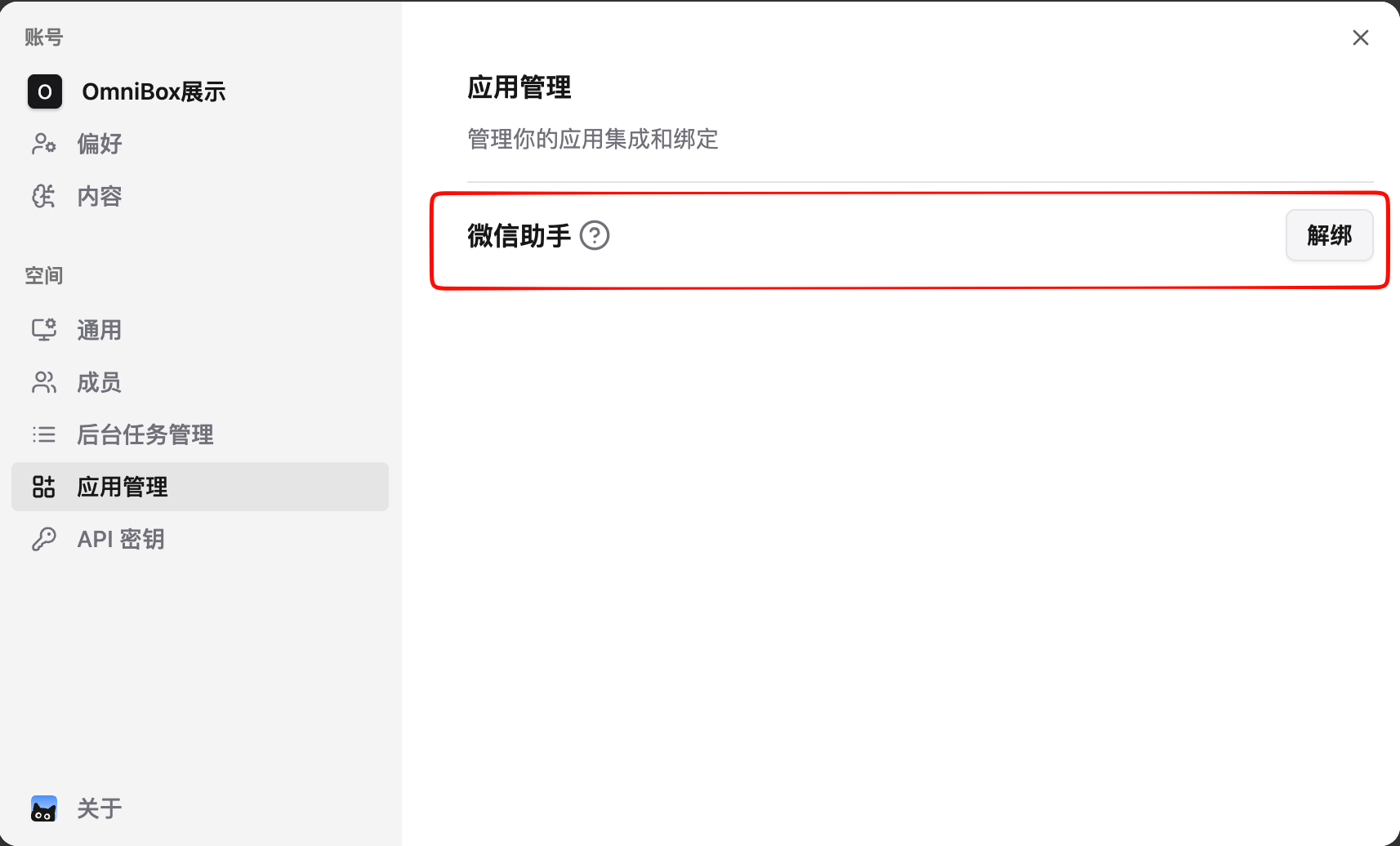
- WeChat Assistant binding successful
Bind in the Mobile APP
You can also bind WeChat Assistant in the OmniBox Mobile APP. Open the App and follow the prompts from App Management or the WeChat Assistant binding entry.
After binding in the Mobile APP, the result is the same as binding on the web: WeChat Assistant is bound to the corresponding namespace, and content sent to WeChat Assistant will be saved there.
Supported Message Types
Currently Supported
- Text (save text)
- Web links / cards
- Voice messages
- Images
- Files (see supported file types: Upload Files)
- Merged forwarded messages (the new version cannot store speaker names; OmniBox cannot parse links, files, images, or other content within merged forwarded messages)
Not Supported
- Text (Q&A)
- Mini Programs
- Contact cards
- Large stickers
- Video accounts
- Red packets
- Location
Save Content
To ensure service stability and user experience, we have added message processing rate limits. For each user, the system will only process the first message received within 3 seconds
- Send content to
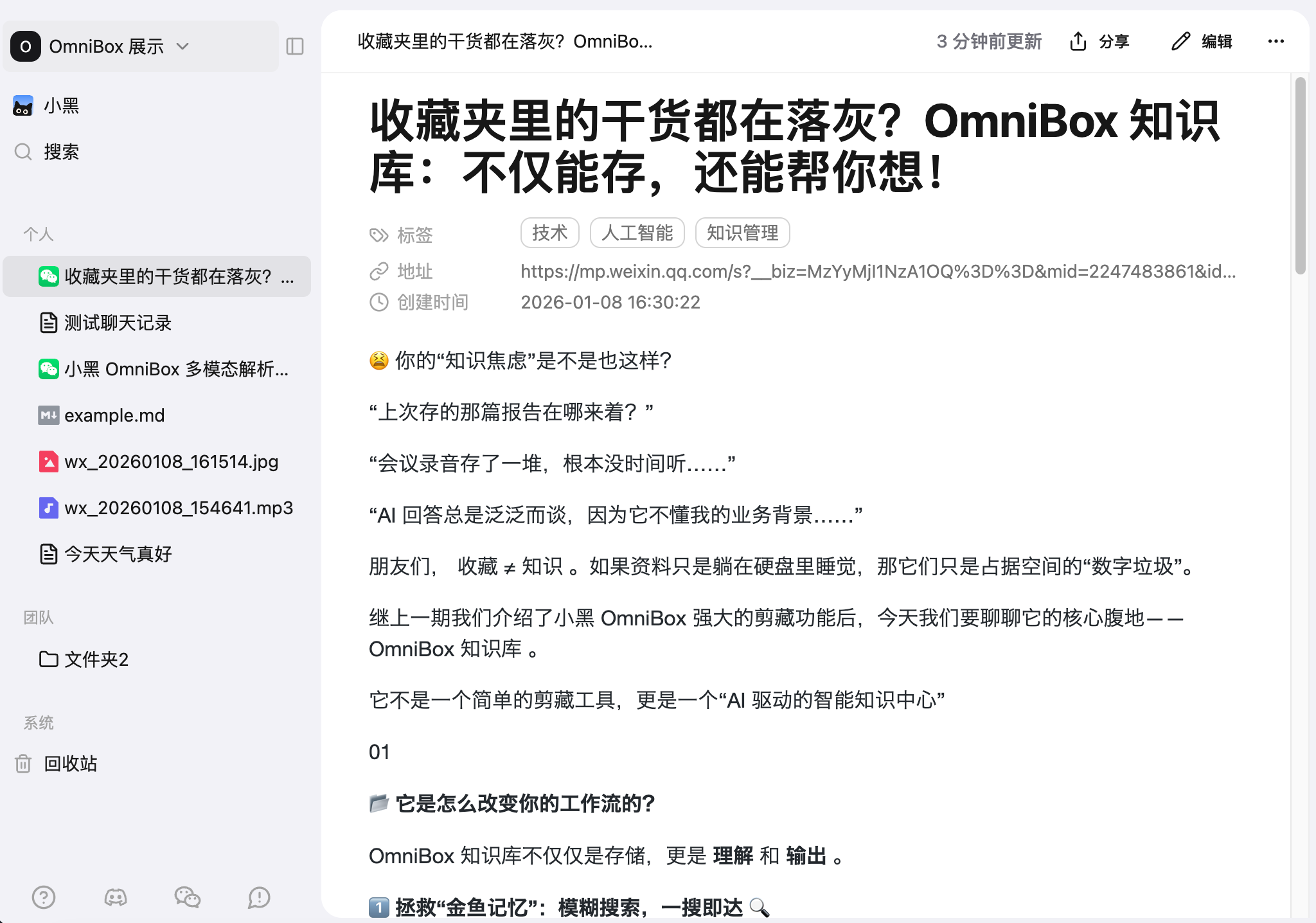
OmniBoxin WeChat to save it. Supports direct forwarding, manual input, or local upload. - Saved content will be stored in your Personal resource list by default
- Currently, there will be no reply after successful saving. The saved content will appear in your OmniBox after a short while
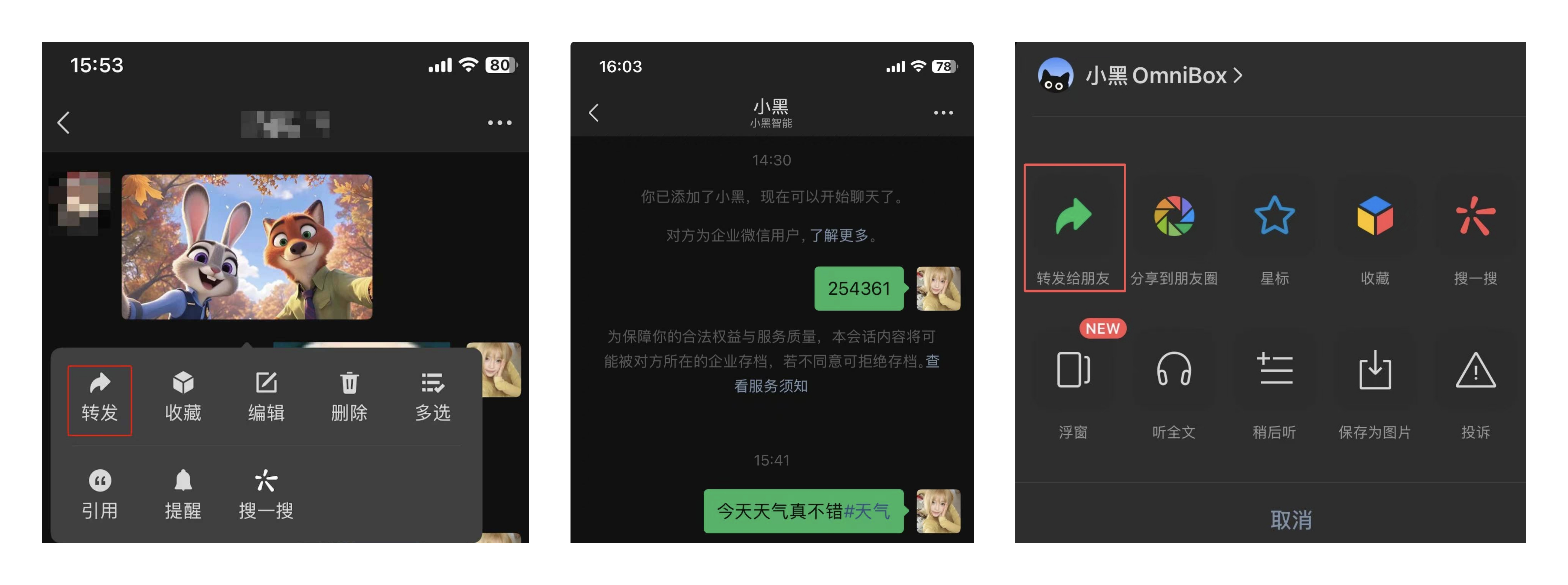
Specify Save Location
Specify Namespace
Currently, WeChat Assistant is bound to a namespace. If you want to save information to a different namespace, you need to unbind from the original namespace and rebind to the new namespace.
Specify Folder
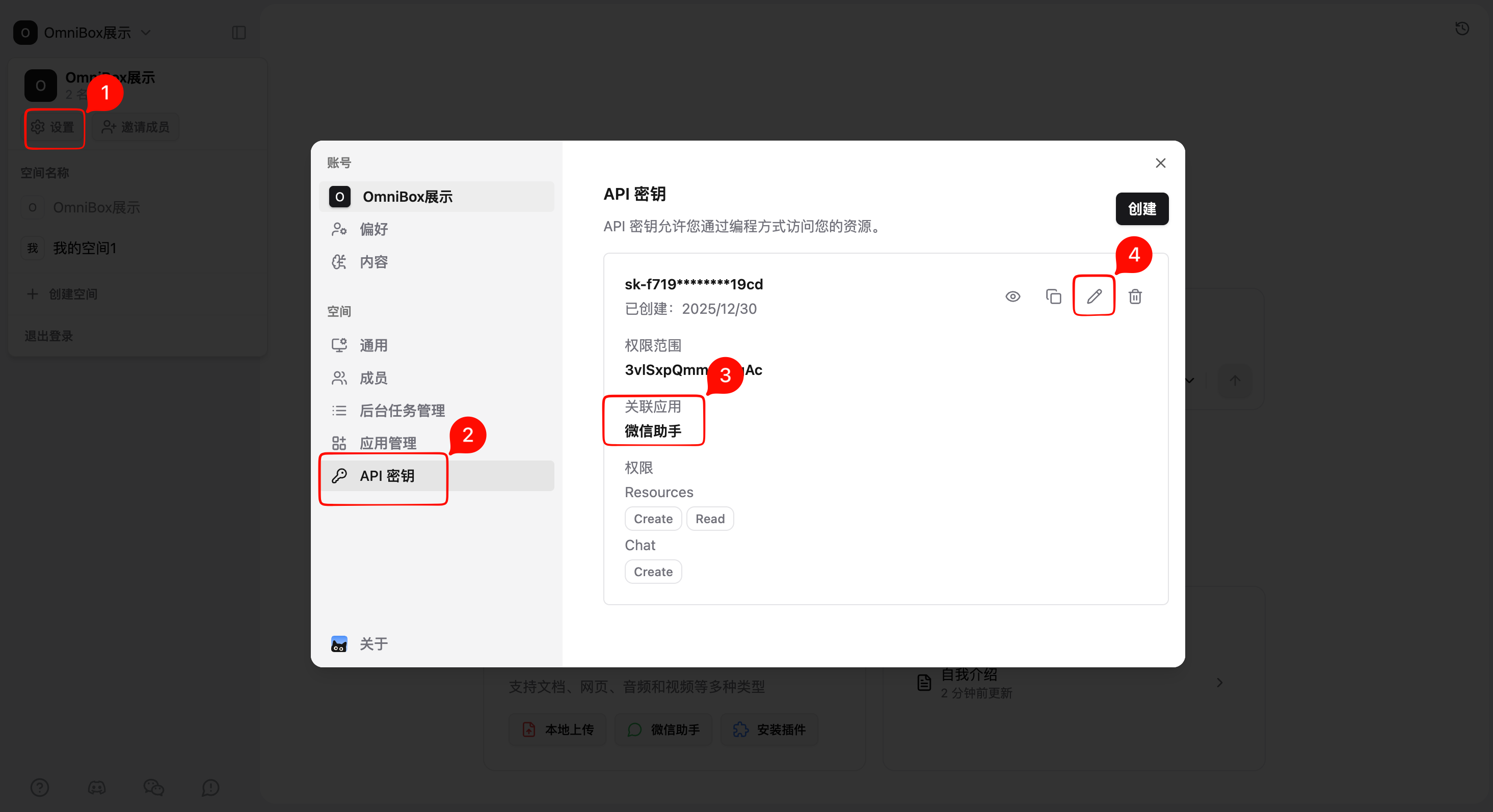
- Open
Settings - Select
API Keys - Find the API key associated with WeChat Assistant
- Click
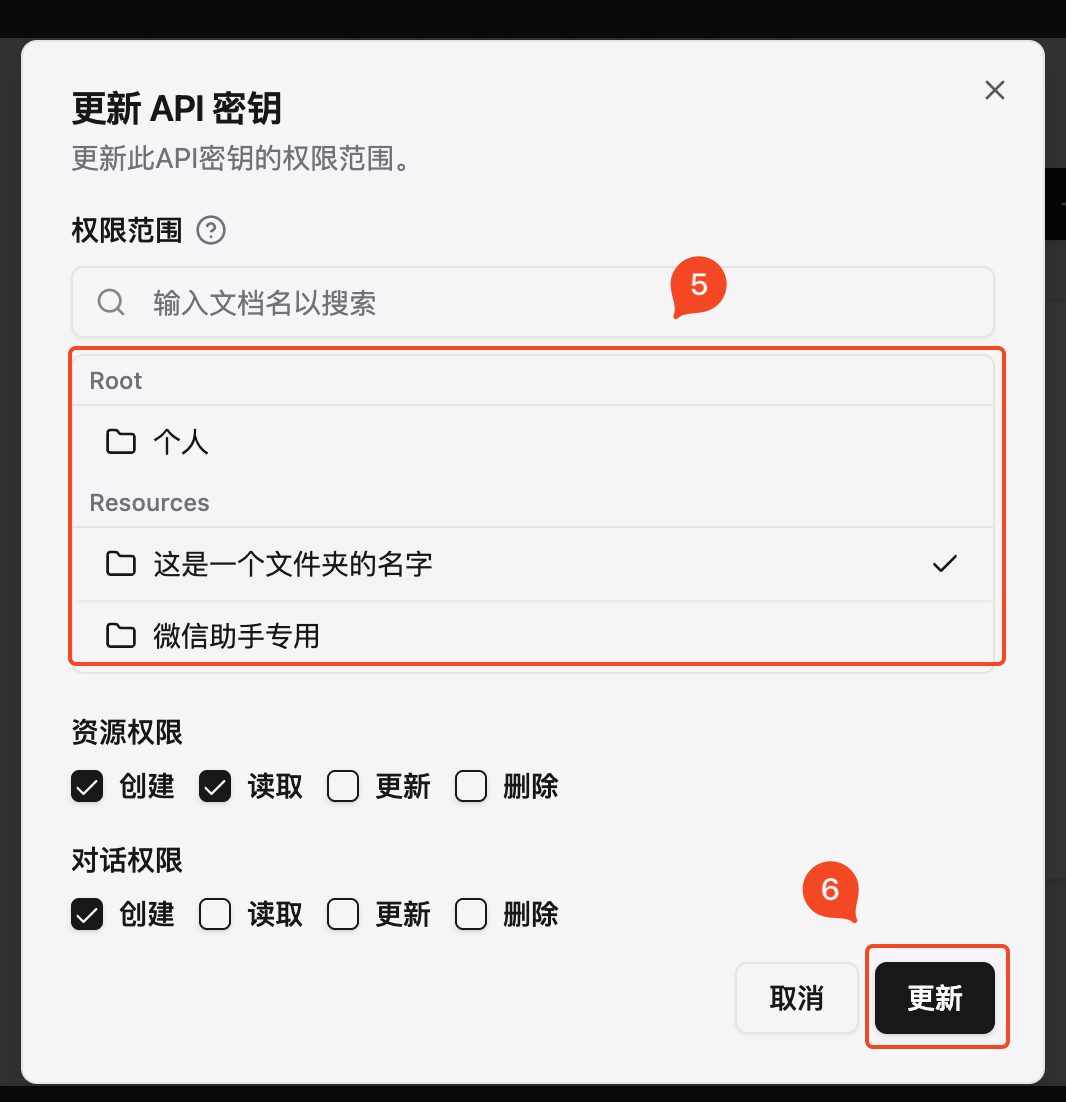
Edit - Select save location
- Click
Update
Add Tags When Saving Text
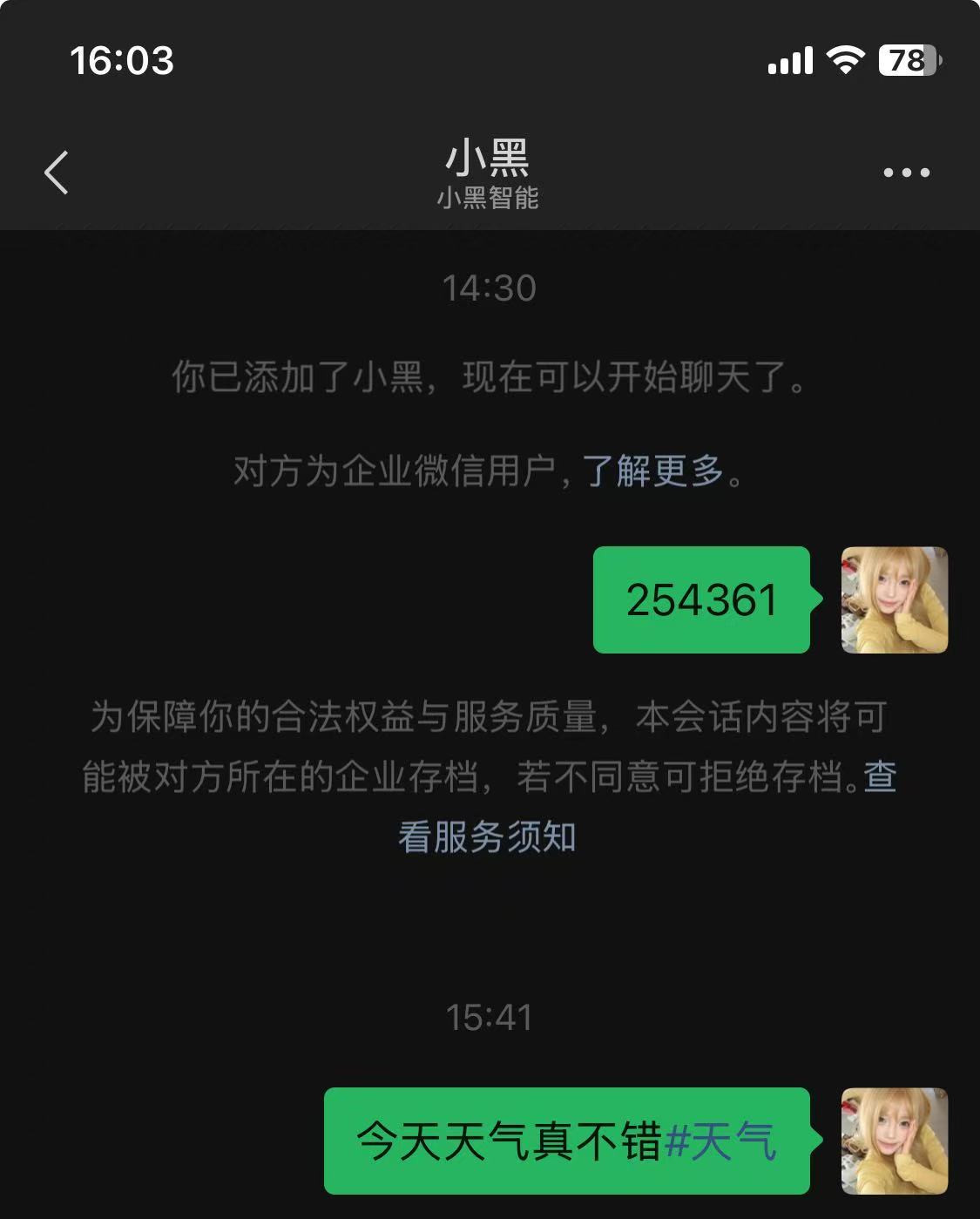
When sending text to WeChat Assistant, you can add #tagcontent at the end to manually add tags, for example: The weather is nice today#weather.
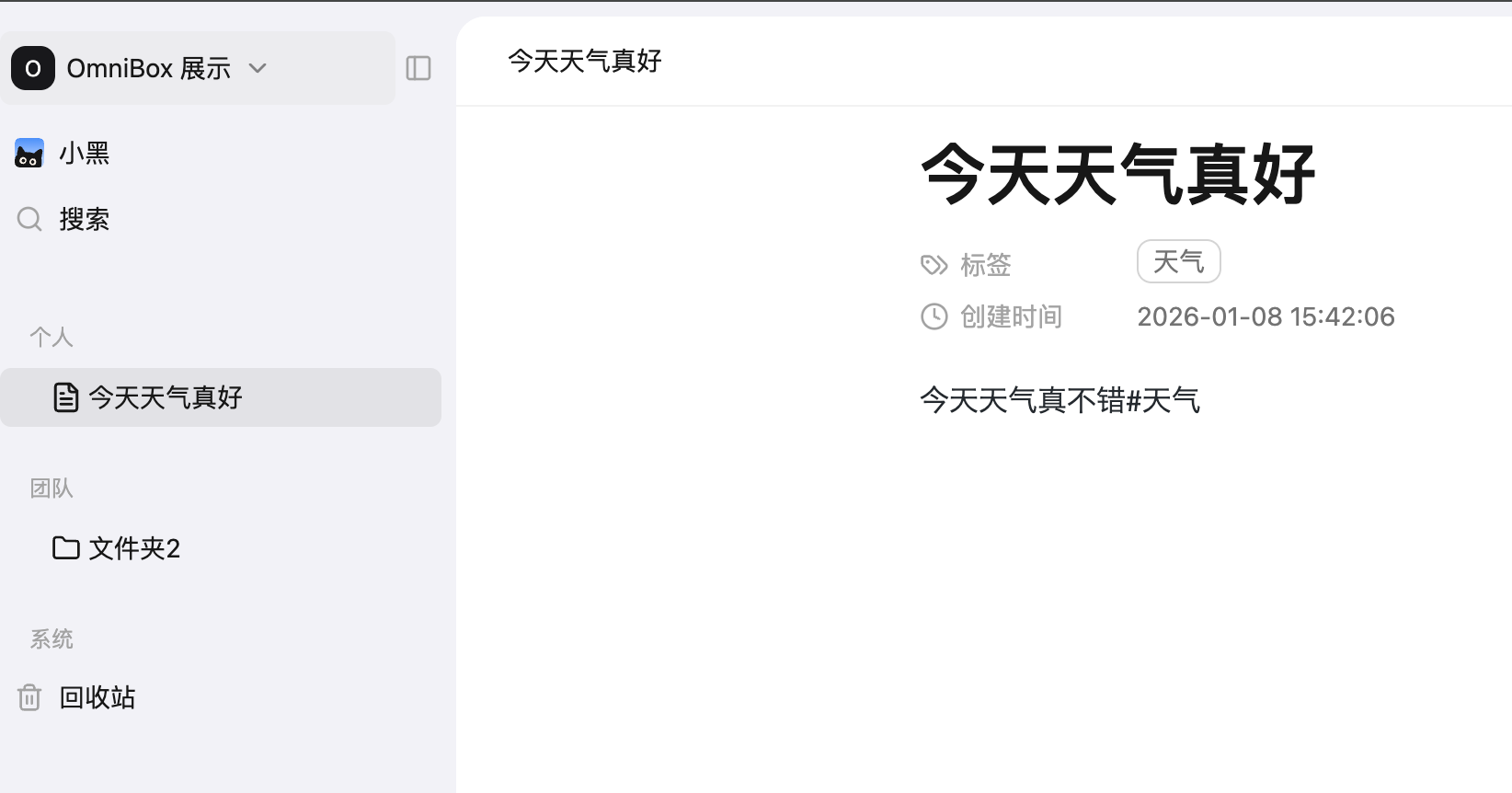
Demo
- Send content in WeChat
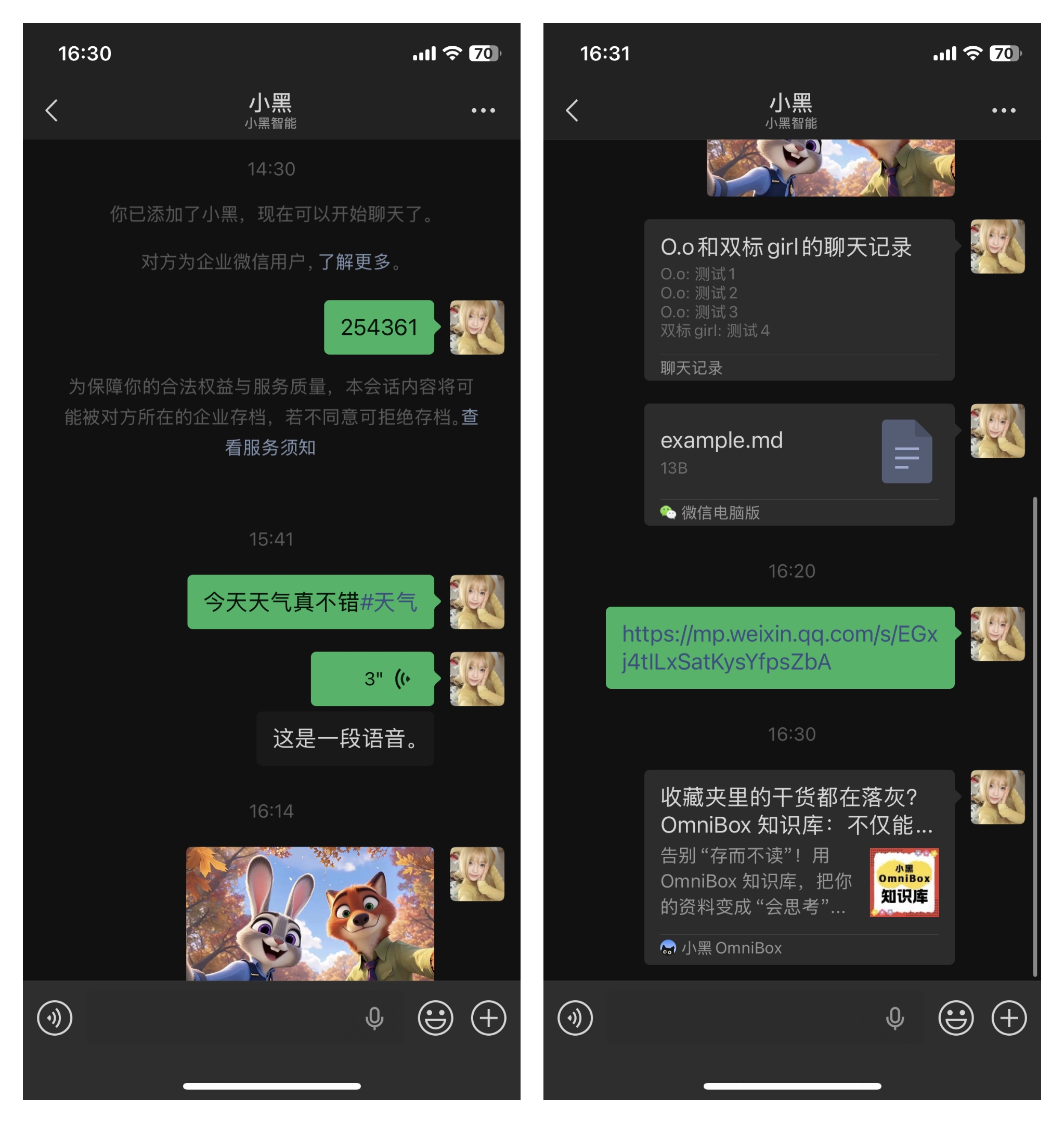
- Parsing result in OmniBox after sending:
FAQ
If you encounter issues with binding or saving, please contact us for help
Why did the binding fail after entering the verification code?
The possible reason is that your WeChat is already bound to another namespace. You need to unbind from the original namespace before binding to the new one.
Can WeChat Assistant bind to two WeChat accounts?
- Not supported at this time
- A workaround is to register two accounts, join the same namespace, and have WeChat Assistant save to the team namespace
Which video platforms are not supported for parsing?
- WeChat Video accounts