
Browser Extension
OmniBox's browser extension allows you to save entire web pages or specific regions and content.
Demo
Knowledge Base > Collect Web Content
Extension Installation & Download
Online Installation
Recommended - the extension will auto-update after installation
- Chrome Web Store: OmniBox - Chrome Web Store
- Edge Store: OmniBox - Microsoft Edge Extensions
- Firefox Extensions: OmniBox - Firefox Extensions
- Safari Extension (macOS): OmniBox for Safari - App Store
Offline Installation
Not recommended - the extension will not auto-update after installation
- Download the extension package: omnibox-chrome-v0.1.23.crx
- Copy
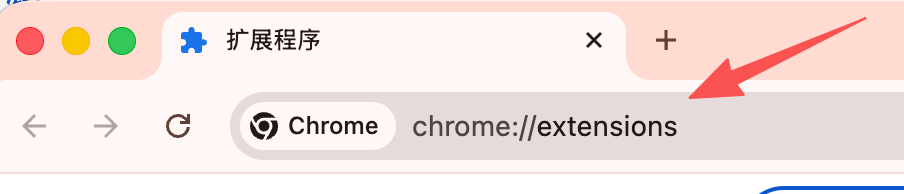
chrome://extensions/to your browser's address bar and open it
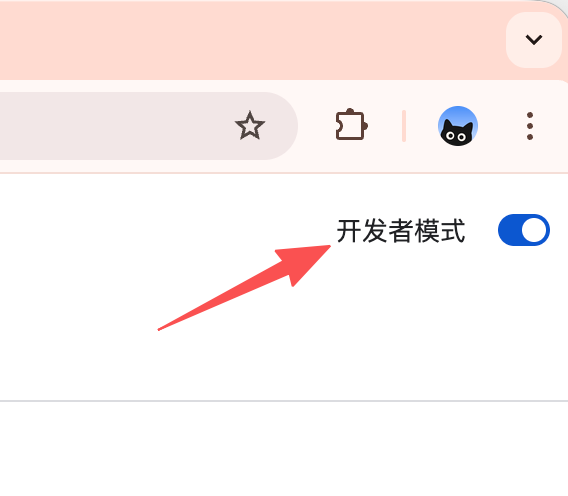
- Enable "Developer mode" on the extensions page
- Drag the downloaded
.crxfile into the extensions page to complete installation
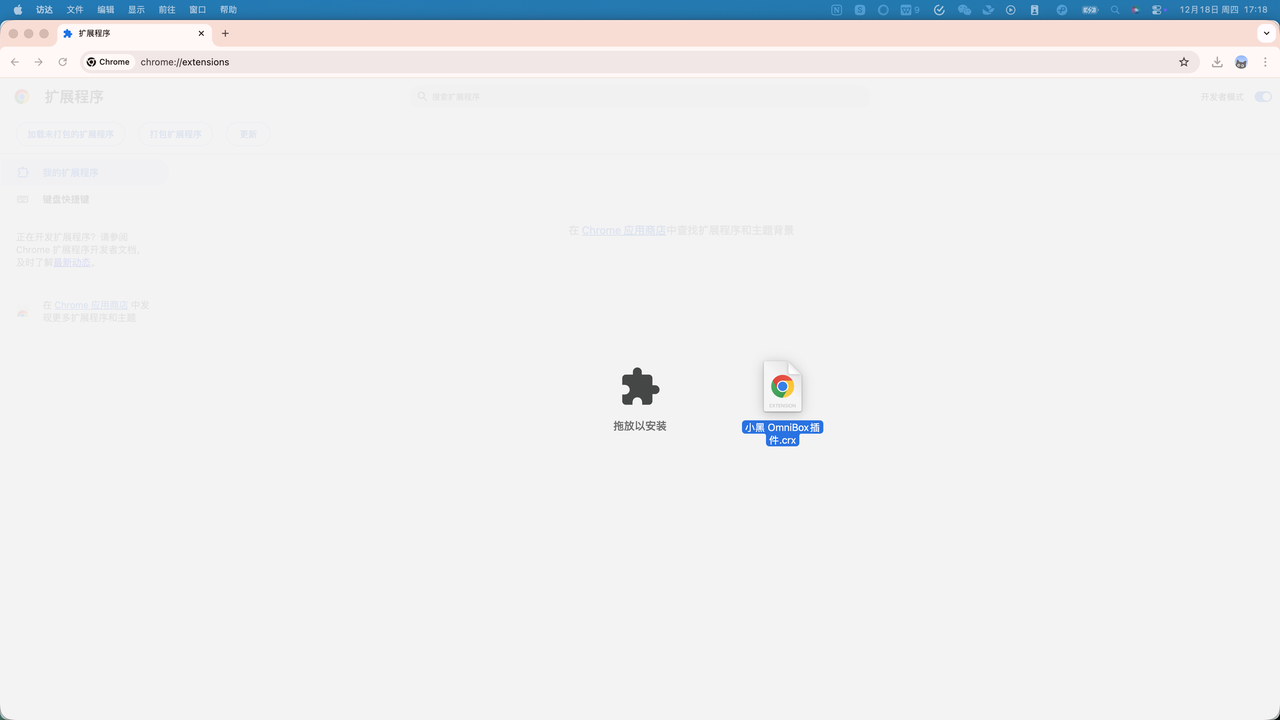
Save Your First Webpage
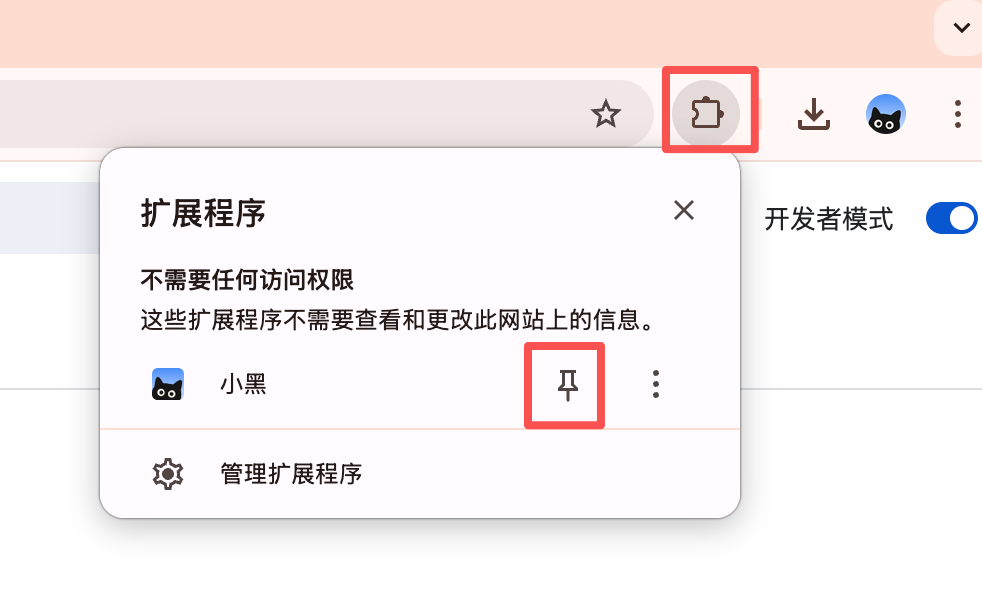
Pin to Toolbar
Click the extensions icon in your browser and pin OmniBox to your toolbar for easy access when saving web content
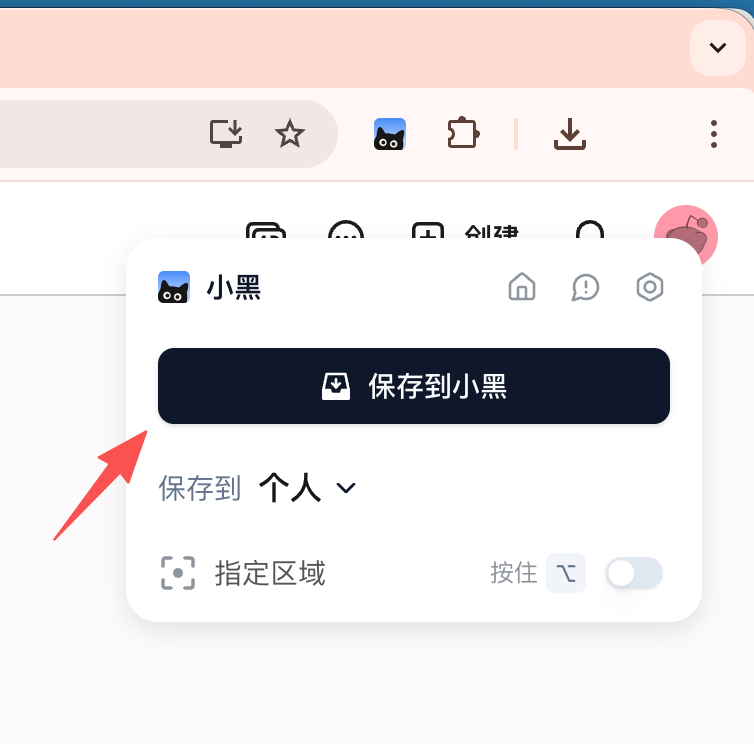
Login to Extension
Before saving web content, you need to log in to your OmniBox account (supports Email, WeChat, Google, and Apple accounts)

Save Web Content
When you find a webpage you want to save, click Save to OmniBox, then go to your OmniBox space and wait a moment to view your saved content
Extension Shortcuts
Default Shortcuts
| Mac Shortcut | Windows Shortcut | |
|---|---|---|
| Save to OmniBox | ⌥ + S | Alt + S |
| Save Specific Region | ⌥ | Alt |
| Activate Extension | ⌥ + T | Alt + T |
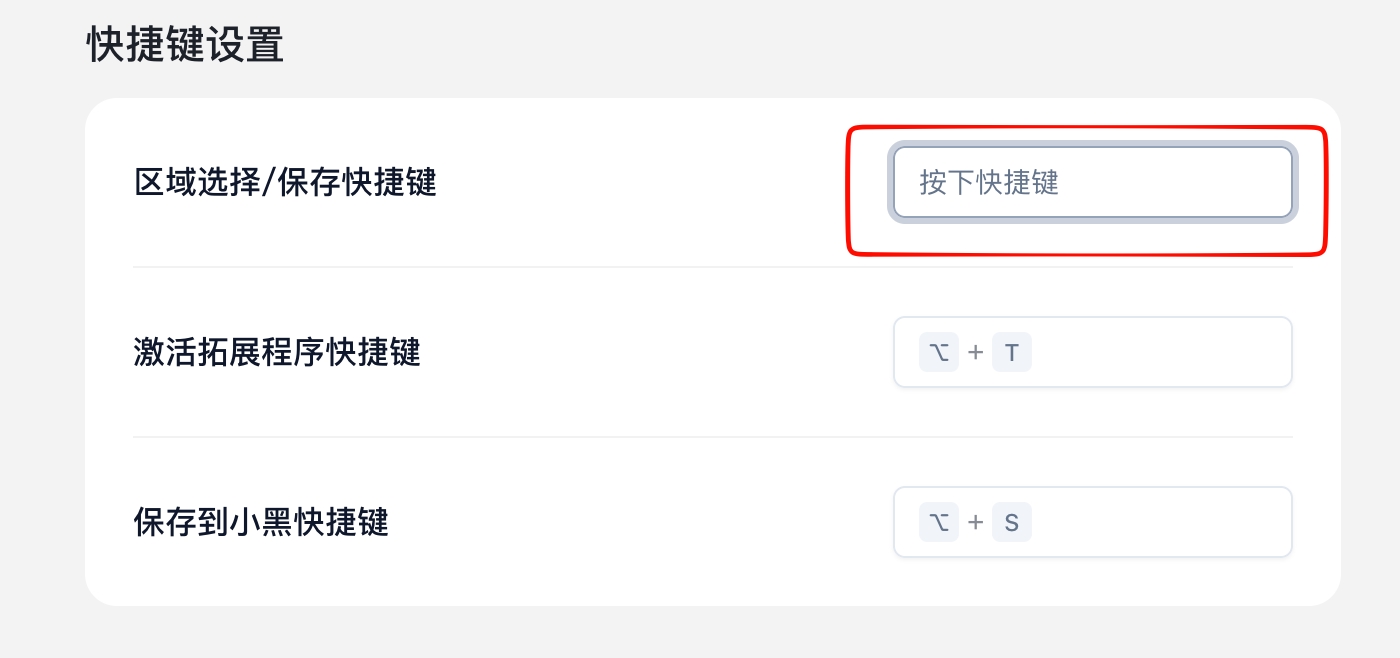
Customized Shortcuts
In the extension's Settings page, click on the shortcut you want to modify, then press the new shortcut key you want to set
Supported Browsers
- Chrome
- Edge
- Firefox
- Quark
- 360 Browser
- Mac only supports 360 Speed Browser Pro
- QQ Browser
- Mac does not support QQ Browser Lite version
Safari Browser Authorization
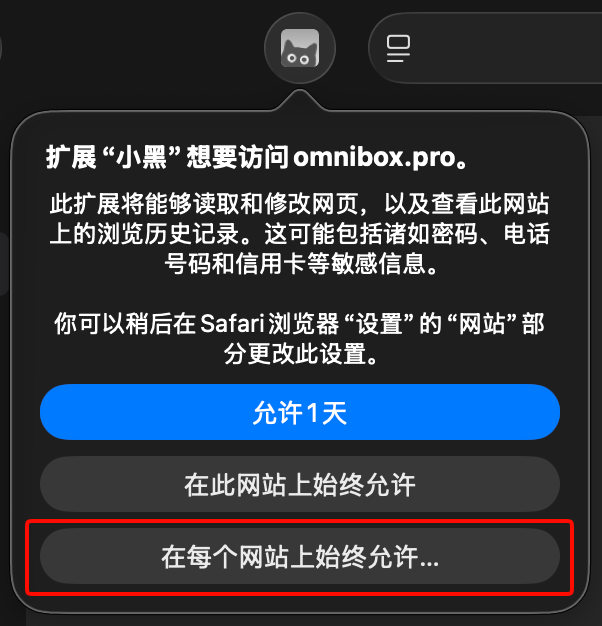
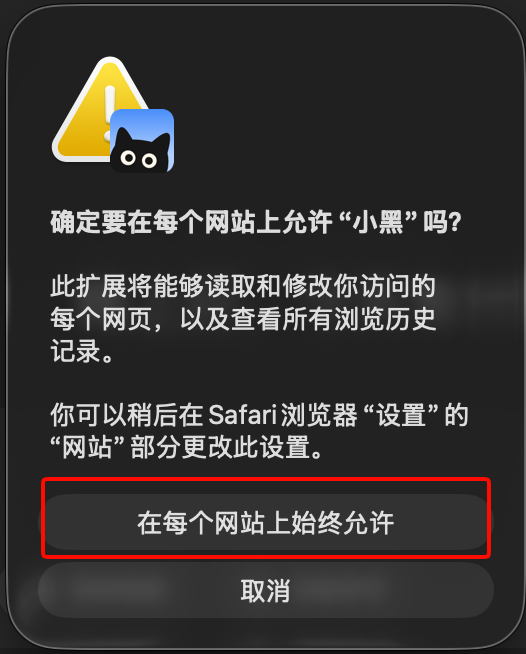
In Safari browser, after installing the extension for the first time, please click the OmniBox icon and select Always Allow on Every Website.